Goose by Block: A Free, Open-Source AI Agent Review 2026
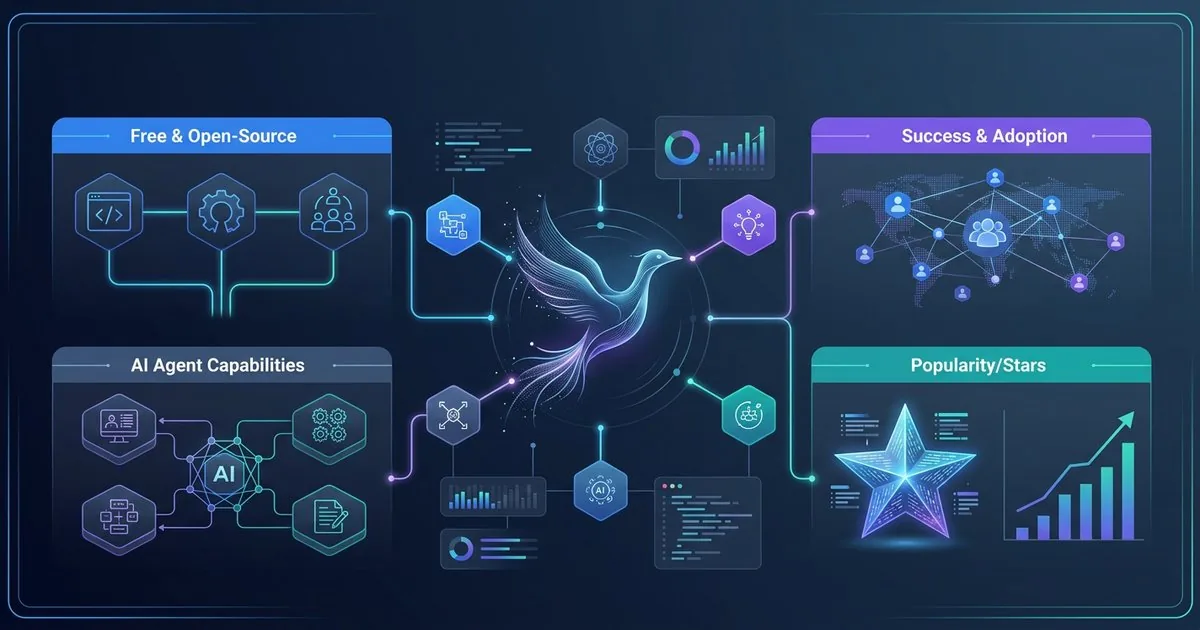
Goose — Quick Verdict
What it is: A free, Apache 2.0, fully autonomous AI agent from Block that runs on your machine and works with any LLM provider — including local models through Ollama.
Best for: Developers who want an autonomous agent without a subscription fee, or who need complete data privacy via local LLMs.
Skip it if: You want a zero-config, plug-and-play experience or tight, out-of-the-box IDE integration.
We do not assign a numeric score. There is no independent, reproducible benchmark behind a single composite rating for agent tools, so the comparison and limitations below are the verdict.
Block — the company behind Square, Cash App, and Afterpay — has quietly built one of the most serious open-source AI agents on the market. Goose isn't a code autocomplete extension. It's a fully autonomous agent that installs packages, edits files, executes shell commands, runs tests, and reads the results — the entire dev loop, automated.
With tens of thousands of GitHub stars (check the repository for the live count), Apache 2.0 licensing, support for 15+ LLM providers, and now under the stewardship of the Linux Foundation's Agentic AI Foundation (AAIF), Goose is becoming increasingly hard to ignore. Especially when the Claude subscription that powers Claude Code runs up to $200/month (2026 list pricing) and Goose itself costs $0 in subscription fees — you pay only for whatever model you connect.
In this review, we break down what Goose actually does well, where it falls short, how it compares to Claude Code, and how to set it up in under 10 minutes. If you are weighing the broader field, see our best AI coding agents comparison.
What Is Goose?
Goose is a local, extensible, open-source AI agent designed to automate complex engineering tasks end-to-end. It runs on your machine — not in the cloud — and orchestrates language models to execute real system-level actions.
Unlike GitHub Copilot or Cursor (which complete code inline in your editor), Goose operates at the shell level. It can:
- Scaffold entire projects from scratch
- Install dependencies and configure environments
- Read, write, and refactor files across your codebase
- Execute shell commands and interpret their output
- Run tests, catch failures, and iterate automatically
- Call external APIs and services
- Orchestrate multi-step workflows with minimal human intervention
The core behavior is driven by "tool calling" — a pattern where the language model can invoke specific tools exposed by the host environment. When you ask Goose to "create a new API route, update the tests, and run the test suite," it doesn't just describe how to do it. It calls commands that write files, edits code, runs the test runner, and inspects the output.
Key specs (per block/goose and the official docs):
- License: Apache 2.0
- Language: Rust core + TypeScript/Electron desktop
- GitHub stars: tens of thousands (check the repo for the live count)
- Contributors: hundreds (350+ at last public count; check the repo)
- LLM providers supported: 15+ documented (Anthropic, OpenAI, Google, Ollama, Mistral, xAI Grok, Azure, Bedrock, OpenRouter, and more)
- MCP extensions: 70+ first-party, plus the wider MCP ecosystem (10,000+ published servers as of the AAIF launch)
- Platforms: macOS, Linux, Windows
The Linux Foundation Stamp of Approval
In December 2025, the Linux Foundation announced the formation of the Agentic AI Foundation (AAIF) — with Goose as one of three inaugural projects alongside Anthropic's Model Context Protocol (MCP) and OpenAI's AGENTS.md.
This is a significant signal. The AAIF is backed by Anthropic, OpenAI, Block, and other major players. For enterprise buyers evaluating open-source AI agent frameworks, being part of the Linux Foundation umbrella provides:
- Long-term governance and maintenance commitments
- A vendor-neutral roadmap
- Community-driven security audits
- Alignment with open standards (MCP)
The practical effect: Goose is no longer just "Block's side project." It's infrastructure-grade open-source software.
Core Features Deep Dive
1. Model Agnosticism — The Killer Feature
Goose's most important feature is that it is genuinely model-agnostic. You can configure it to use:
| Provider | Example Models | Notes |
|---|---|---|
| Anthropic | Claude Opus, Sonnet | Strong tool-calling on the Berkeley Function-Calling Leaderboard |
| OpenAI | GPT-4o, o3-mini | Strong general-purpose performance |
| Gemini 3.1 Pro, Ultra | 2M token context option | |
| Ollama | Llama 4, Qwen3, Gemma 3 | Fully local, zero API cost |
| Mistral | Mistral Large, Codestral | European data residency option |
| xAI | Grok 4 | Alternative frontier model |
| Azure OpenAI | GPT-4o deployment | Enterprise VNet support |
| AWS Bedrock | Claude on Bedrock | AWS IAM auth support |
The ability to swap models mid-project is practical, not just theoretical. Teams can run a top Claude model for complex reasoning tasks and route simpler tasks to a local Llama model to reduce API costs.
2. MCP Extensions — 70+ First-Party, Plus the Whole Ecosystem
Goose was one of the earliest adopters of the Model Context Protocol, and it shows. The Extensions Manager (built into the desktop app) lets you browse, enable, and configure extensions with a single toggle:
- GitHub — create PRs, review code, manage issues
- Google Drive — read and write documents
- Databases — PostgreSQL, SQLite, MongoDB connectors
- Browser — web scraping and Playwright automation
- Docker — manage containers and compose files
- File systems — structured file access with permission controls
- Custom MCP servers — point Goose at any local or remote MCP server
Beyond the 70+ documented first-party extensions, Goose can connect to any server in the broader MCP ecosystem — the Agentic AI Foundation counted 10,000+ published MCP servers at its December 2025 launch. If a tool has an MCP server, Goose can use it.
That server count is worth pinning to its date. It is a December 2025 figure, and several of the MCP growth numbers that circulate alongside it — the month-by-month download milestones, the "$10.4B server market" line — trace back to no primary source at all. We checked each one and published the claim-to-source matrix, which also carries the current official figure: the July 2026 specification post puts Tier 1 SDKs near half a billion downloads a month.
3. Recipes — Reusable Workflow Automation
Recipes are one of Goose's most underrated features. A Recipe is a YAML file that packages:
- A prompt or set of instructions
- Required extensions
- Input parameters
- Retry logic and error handling
# Example Recipe: Run a full test suite and file a GitHub issue on failure
version: 1.0
name: test-and-report
description: Run pytest and create a GitHub issue if tests fail
extensions:
  - github
parameters:
  - name: repo
    type: string
    description: GitHub repo in owner/repo format
steps:
  - action: shell
    command: pytest --tb=short
    on_failure:
      - action: github.create_issue
        title: "Test failure on {{ date }}"
        body: "{{ step.output }}"
        repo: "{{ params.repo }}"
Recipes are shareable and composable. The Goose community has published recipes for common patterns like "set up a new Node.js project," "migrate a database schema," and "generate and commit a changelog."
4. Subagent Parallelism
Goose can spawn independent subagents to handle tasks in parallel — code review in one lane, documentation in another, file processing in a third — while keeping the main conversation clean. Parallel subagents are an area several agent tools are actively building out, and Goose exposes them directly in its workflow model.
Goose vs. Claude Code: Honest Comparison
| Feature | Goose | Claude Code |
|---|---|---|
| Price | Free (+ API costs) | $20–$200/month subscription |
| Model lock-in | None — any provider | Anthropic only |
| Local LLM support | Yes (Ollama) | No |
| Data privacy | Full local option | Cloud-required |
| Desktop app | Yes | No (CLI only) |
| IDE integration | JetBrains plugin | VS Code extension |
| MCP extensions | 70+ first-party + wider MCP ecosystem | Growing ecosystem |
| Recipes / Workflows | Yes (YAML-based) | No |
| Subagent parallelism | Yes | Limited |
| Setup complexity | Medium | Low |
| Best tool-calling model | Top Claude / GPT models (via API) | Claude (built-in) |
| Open source | Apache 2.0 | No |
| Governance | Linux Foundation AAIF | Anthropic proprietary |
The honest take: Claude Code is easier to set up and has tighter IDE integration out of the box, and it is tuned tightly around Anthropic's models. Goose's edge is different: model flexibility, a fully local privacy option, reusable Recipes, and zero subscription cost. We have not independently re-run coding benchmarks for either tool, so treat any head-to-head accuracy claim — including ones you see elsewhere — as vendor- or community-reported rather than verified here. Which one "wins" depends on whether setup speed and IDE polish or cost-and-control matters more to you, not on a single composite score.
Claude Code makes sense if you're already on Anthropic's subscription and want zero-friction setup. Goose makes sense if you care about cost, data privacy, model flexibility, or long-term vendor independence.
Setting Up Goose in 10 Minutes
Option A: Desktop App (Recommended for Most Users)
- Download the installer from goose-docs.ai for your platform (macOS, Windows, Linux)
- Open the app — on first launch, you'll see the provider setup wizard
- Select your provider (Anthropic, OpenAI, Google, or Ollama for local)
- Enter your API key
- Choose your default model
That's it. Goose is ready to use.
Option B: CLI + Ollama (Fully Local, Zero Cost)
For a fully local setup with no API costs:
# Install Ollama first
curl -fsSL https://ollama.com/install.sh | sh

# Pull a capable model
ollama pull llama4:scout   # 17B vision-language model, fits on 24GB VRAM

# Install Goose CLI
curl -fsSL https://github.com/block/goose/releases/latest/download/goose-installer.sh | sh

# Configure Goose to use Ollama
goose configure
# Select: Ollama
# Select model: llama4:scout
# No API key required

# Start your first session
goose session start
Option C: JetBrains Plugin
Since January 2026, the ACP registry lets JetBrains users install Goose with one click inside IntelliJ, PyCharm, or WebStorm — no separate subscription required. Go to Settings → Plugins → Marketplace and search for "Goose."
Security: What You Need to Know
Security is the most important thing to understand before deploying Goose in a production-adjacent environment.
In January 2026, Block published a detailed post-mortem of an internal red team exercise (run in 2024) called "Operation Palefire" — in which Block's own offensive security team successfully compromised Goose through social engineering and prompt injection.
What happened: In one campaign, the red team crafted a poisoned Recipe with malicious instructions hidden in invisible Unicode characters, disguised as debugging help. The recipe tricked both the developer and the AI agent into downloading and running an infostealer. (A separate campaign used hidden prompt injections in calendar invites read through Goose's integrations.) The team's findings were independently reported as well.
What Block fixed:
- Recipe visualization — users now see exactly what a recipe does before running it
- Unicode character stripping — hidden instructions can't be embedded in recipes
- Improved permission confirmations for destructive operations
- MCP server malware checking
- Adversarial AI monitoring — a second AI monitors Goose's actions for malicious patterns
Practical security guidance for Goose users:
- Treat Goose as you would any script running with your credentials
- Run it in a sandboxed dev environment for untrusted tasks — a disposable cloud workspace keeps a poisoned recipe off your own laptop
- Use permission-gated MCP extensions rather than shell-level access where possible
- Review external recipes for hidden Unicode characters before execution
Performance: What the Public Evidence Actually Shows
Effloow has not run an independent benchmark of Goose, and we are not going to invent one. What we can say is grounded in two things: how Goose's architecture works, and public tool-calling data.
- Goose's accuracy is mostly the model's accuracy. Because Goose is model-agnostic, the quality of its multi-step work tracks whichever LLM you connect. Pair it with a frontier model and you get frontier results; pair it with a small local model and the ceiling drops.
- Tool-calling is where agents live or die. Goose works by calling tools, so the model's function-calling reliability matters more than its raw chat quality. The public Berkeley Function-Calling Leaderboard tracks exactly this, and frontier Claude and GPT models sit near the top of its recent snapshots. Rankings shift release to release, so check the live board rather than trusting a frozen claim.
- Local models trade accuracy for privacy and cost. Running Goose against an Ollama model (Llama, Qwen, Gemma) keeps every byte on your machine and costs nothing, but smaller local models are generally less reliable on long tool chains than hosted frontier models. How much less depends on the model and the task — test on your own workload before committing.
If you see a specific "Goose scored X%" figure anywhere (including older versions of this page), treat it as unverified unless it links to a reproducible run.
Known Limitations and Failure Modes
| Area | Limitation | What it means for you |
|---|---|---|
| Setup | CLI-first; not zero-config | Budget time for provider/model configuration before first useful run |
| Local models | Lower reliability on long tool chains | Keep a frontier model available for hard multi-step tasks |
| Security | Autonomous shell access + shareable Recipes | A poisoned Recipe compromised a laptop in Block's own red team (Operation Palefire) — never auto-approve untrusted recipes |
| IDE depth | JetBrains plugin is new; VS Code support trails Claude Code | If your team lives in VS Code, integration is thinner today |
| Reproducible benchmarks | No single authoritative score exists | Don't pick on a composite rating; pilot it on a real repo |
Pros and Cons
Pros
- Free to use — no subscription fee; only pay for API usage (or use Ollama for zero cost)
- Genuinely model-agnostic — 15+ documented providers, any frontier or local model
- Deep MCP ecosystem — 70+ first-party extensions, plus the wider MCP server ecosystem
- Recipes — reusable, shareable workflow automation
- Full local option — complete data privacy with Ollama
- Linux Foundation governance — enterprise-grade long-term commitment
- Desktop app + CLI + API — multiple interfaces for different workflows
- Subagent parallelism — concurrent task execution
- Active security posture — proactive red teaming + patches
Cons
- Setup requires technical confidence — not as turnkey as Claude Code
- CLI-first UX — desktop app is good but secondary to the terminal workflow
- Security risk if misconfigured — autonomous shell access needs careful permissioning
- Model performance varies — local models lag frontier models on complex chains
- Recipes are a new concept — learning curve for teams unfamiliar with YAML workflow files
- IDE integration limited — JetBrains plugin is new; VS Code support is less mature than Claude Code's
When to Use Goose / When to Skip It
If you are still comparing options, our AI agent frameworks comparison shows where Goose sits among the agent tools. For an open-source agent that leans on persistent memory and self-improving skills instead of a fresh context each run, see our Hermes Agent review.
Use Goose if you:
- Want a fully autonomous AI agent without a $200/month subscription
- Need model flexibility — switching between Anthropic, OpenAI, Google, or local models
- Work in regulated environments where code cannot leave your infrastructure (Ollama setup)
- Want to build reusable automation workflows (Recipes) for your team
- Value open-source governance and long-term vendor independence
- Are a senior developer comfortable with terminals and configuration files
Skip Goose (and stick with Claude Code) if you:
- Want the easiest possible setup with minimal configuration
- Are already on an Anthropic subscription and don't need model flexibility
- Primarily work within VS Code with tight editor integration
- Prefer a single-vendor relationship with enterprise support
What Effloow Added
Block's pitch for Goose is "free, open, runs any model." A developer deciding whether to adopt it needs the tradeoffs and the honest comparison, not a feature list. We added that:
- A like-for-like Goose-vs-Claude-Code table keyed to real axes (privacy, MCP ecosystem, Recipes, setup complexity, governance), with the verdict framed as different-priorities rather than a single composite score.
- A "Known Limitations and Failure Modes" table and an explicit when-to-use / when-to-skip read, so the page helps you decide rather than just listing features.
- The security caveat surfaced — auto-approve mode should never run in critical environments, and we link Block's own Operation Palefire red-team write-up so you can read the failure mode first-hand.
We also did honest cleanup on this page: we removed a fabricated 8.1/10 score card and an invented "independent testing" section that quoted error rates and time-saved figures with no reproducible run behind them. Numbers we keep — star counts, contributor counts, MCP server totals — are framed as approximate, check-the-source figures and cited (block/goose, the Linux Foundation AAIF announcement, Block Engineering, and the Berkeley Function-Calling Leaderboard). The value is the honest adopt-or-not comparison, not a hype reel.
Key Takeaways
- Goose is free — Apache 2.0, no subscription, pay only for API usage (or nothing with Ollama)
- Tens of thousands of GitHub stars and Linux Foundation backing signal genuine enterprise momentum
- Model-agnostic design is Goose's strongest architectural advantage — you can run any frontier model or fully local models
- 70+ first-party MCP extensions plus the wider MCP ecosystem make Goose one of the most extensible AI agents available
- Recipes are an underrated feature — reusable YAML workflows that save significant time
- Security requires care — Block has done the work of proactive red-teaming, but auto-approve mode should never be used in critical environments
- Goose and Claude Code win on different axes — Goose on model flexibility, local privacy, and cost; Claude Code on setup speed and IDE polish. We have not independently benchmarked either, so weigh those tradeoffs against your own pilot rather than a single score
Frequently Asked Questions
Is Goose completely free? Yes — Goose itself is free and open source (Apache 2.0). You only pay for the LLM you connect it to. If you use Ollama with a local model, the entire stack is free with zero data leaving your machine.
Does Goose work without internet? Yes, with Ollama. Run a local model like Llama 4 Scout or Qwen3, and Goose operates entirely offline. This is ideal for air-gapped environments or high-security contexts.
Can I use Goose at work without worrying about data leaks? If you configure Goose with Ollama and a local model, nothing leaves your machine. For cloud providers (Anthropic, OpenAI, etc.), your prompts go through their APIs under their standard data handling policies. Read your provider's enterprise data agreement before use.
Is Goose better than Claude Code? It depends on what you weight. If you want model flexibility, a local privacy option, and zero subscription cost, Goose wins. If you want the fastest path to a working setup and tighter IDE polish, Claude Code wins. They are optimized for different priorities, so there is no single "better" — and we have not run an independent head-to-head benchmark to crown one.
How do I install Goose extensions? Open the Goose desktop app, go to Settings → Extensions, browse the extension catalog, and toggle on what you need. Each extension has a configuration panel for credentials and settings.
What happens if Goose makes a mistake? Goose will confirm before taking destructive actions (deleting files, force-pushing, etc.) unless you've enabled auto-approve. Always run Goose in a dev environment with version control so you can roll back any unintended changes.
Goose is under active development. Features and star counts referenced in this article reflect April 2026 data. Check goose-docs.ai and the block/goose GitHub repository for the latest releases.
Get the next one
in your inbox.
One short weekly dispatch with new guides, tools, and what we tested. No spam, unsubscribe anytime.
Get weekly AI tool reviews & automation tips
Join our newsletter. No spam, unsubscribe anytime.
More in Articles
Complete guide to GitHub Copilot agent mode in JetBrains IDEs in 2026: inline agents, CLI agent, worktree isolation, MCP support, and Claude Opus 4.7.
What AWS Kiro's specs, hooks, and Powers actually do — with current credit pricing, real hook trigger names, and when to skip it.
Step-by-step guide to self-hosting RAGFlow v0.25 with Docker Compose — deep document understanding, chunking strategies, MCP server, and the Python SDK.
Kimi Code K2.6 review: 58.6% SWE-Bench Pro, 300-agent swarms, $0.60/M input. How it compares to Claude Code in real-world coding tasks.