Gemini 3.1 Ultra: Long Context and Multimodal Dev Guide
A practical guide to Gemini 3.1 Pro's 1M-token context window, native multimodal inputs, sandboxed code execution, and API setup for 2026.
Google's Gemini 3.1 generation marks a turning point in how developers interact with large language models. With a 1-million-token context window, native processing of video, audio, images, and code in a single request, plus sandboxed in-session code execution — Gemini 3.1 Pro is the most capable model in the Gemini lineup available via API today.
This guide covers everything a developer needs to know: context window limits, multimodal input handling, API setup, pricing, benchmark context, and the most common mistakes when working at scale.
Why a 1-Million-Token Context Window Changes Everything
Before Gemini 3.1 Pro (released February 19, 2026), most production LLM workflows were constrained to 128K–200K token windows. That forced developers into chunking pipelines, retrieval-augmented generation, or frequent re-prompting — all of which add latency, complexity, and failure points.
A 1-million-token context window is equivalent to roughly 1,500 pages of text, 30,000 lines of code, or one hour of video footage in a single prompt. This isn't just a bigger number — it changes architecture decisions entirely.
What you can now fit in a single prompt:
- An entire Python codebase (most repos under 500K tokens)
- A full legal contract plus exhibits
- Hours of meeting transcripts for summarization
- Complete documentation sets for RAG-free Q&A
- Multiple research papers for synthesis tasks
The shift from retrieval-first to context-first design is real. Teams that previously maintained vector stores for codebase Q&A are now simply sending the entire repo and asking questions directly. Retrieval is still valuable for very large corpora, but for many use cases, the context window is the retrieval.
Core Specifications at a Glance
Gemini 3.1 Pro (model ID: gemini-3.1-pro-preview) shipped with these verified specs as of April 2026:
| Specification | Gemini 3.1 Pro | Gemini 3 Pro | Gemini 3.1 Flash Lite |
|---|---|---|---|
| Input context | 1,048,576 tokens | 1,000,000 tokens | 1,000,000 tokens |
| Output limit | 65,536 tokens | ~21,000 tokens (truncated) | 8,192 tokens |
| Pricing (input / output) | $2 / $12 per 1M tokens | $2 / $12 per 1M tokens | $0.075 / $0.3 per 1M tokens |
| Over-200K pricing | $4 / $18 per 1M tokens | $4 / $18 per 1M tokens | $0.15 / $0.6 per 1M tokens |
| Multimodal inputs | Text, image, video, audio, PDF, code | Text, image, video, audio, PDF | Text, image |
| Code execution | Yes (sandboxed) | Yes | No |
| Thinking levels | Low / Medium / High | None | None |
| Best for | Complex agentic tasks, long context, multimodal | Balanced tasks | High-volume, cost-sensitive |
One critically resolved issue in 3.1 Pro: Gemini 3 Pro frequently truncated code generation at approximately 21,000 output tokens. Gemini 3.1 Pro raises that ceiling to 65,536 tokens, enabling complete refactoring of large files without continuation prompts.
Native Multimodal Inputs: What's Actually Supported
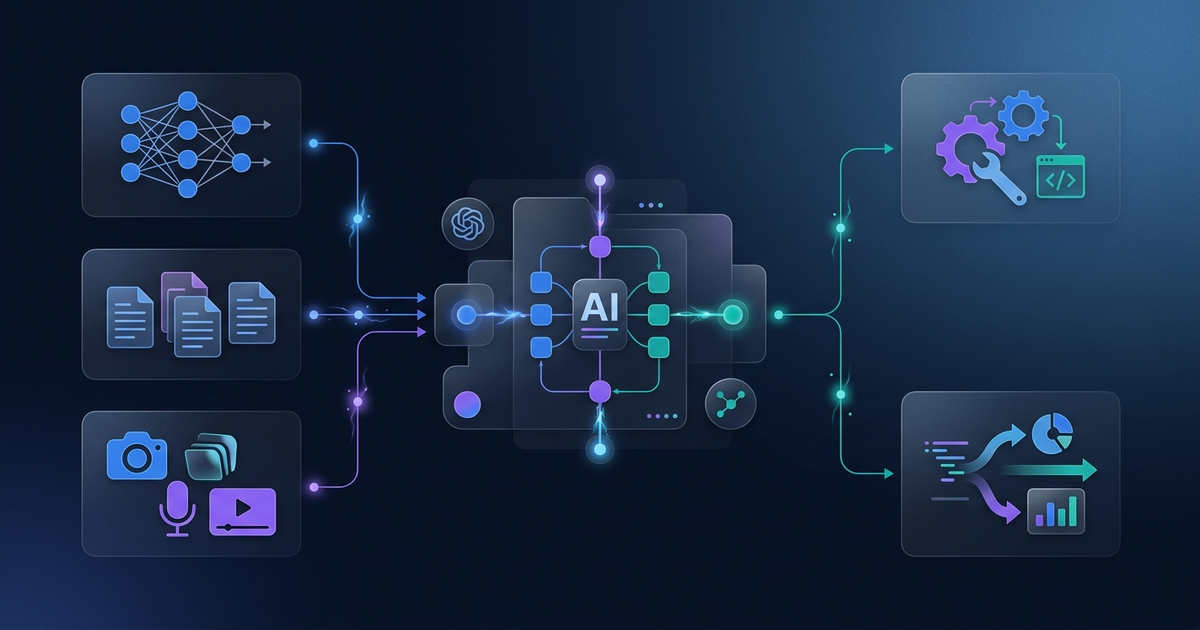
Gemini 3.1 Pro is natively multimodal — not a pipeline that converts inputs, but a model that processes all modalities in the same context. This matters for reasoning quality: a model that "sees" a screenshot and "reads" a log file simultaneously can make inferences that a text-only model with embedded captions cannot.
Text and Code
Standard input. Gemini 3.1 Pro handles mixed text and code naturally. All major programming languages are supported.
Images
Pass image bytes or URLs directly. Gemini 3.1 Pro supports media_resolution as a parameter — low, medium (default), or high. Higher resolution improves the model's ability to read fine text or identify small objects, but increases token usage and latency. Use high when processing screenshots with dense UI elements or diagrams with labeled components.
Video
Up to one hour of video per request (without accompanying audio). Video is automatically sampled at a fixed frame rate; you can hint the model toward specific timestamps using text context. Common use cases: meeting recording analysis, tutorial extraction, QA flagging.
Audio
Up to 8.4 hours of continuous audio per request. Gemini 3.1 Pro transcribes, reasons, and synthesizes from audio natively — no pre-transcription step required. Useful for long-form podcast summarization, call center transcript extraction, or multilingual audio processing.
PDFs are processed with native layout understanding — tables, figures, and formatted text are parsed without conversion. Particularly useful for financial filings, technical specifications, and legal documents.
Setting Up the API
Getting started requires a Google AI Studio API key. The Gemini API is free to use in Google AI Studio; production API calls via gemini-3.1-pro-preview are paid.
Python (Official SDK)
pip install google-genai
import os
from google import genai
from google.genai import types

client = genai.Client(api_key=os.environ["GEMINI_API_KEY"])

response = client.models.generate_content(
    model="gemini-3.1-pro-preview",
    contents="Explain the key architectural differences between vLLM and SGLang."
)

print(response.text)
Multimodal Request with Image
import httpx
from google import genai
from google.genai import types

client = genai.Client(api_key=os.environ["GEMINI_API_KEY"])

# Load image bytes
image_bytes = httpx.get("https://example.com/architecture-diagram.png").content

response = client.models.generate_content(
    model="gemini-3.1-pro-preview",
    contents=[
        types.Part.from_bytes(data=image_bytes, mime_type="image/png"),
        "Describe the architecture shown in this diagram and identify any bottlenecks."
    ]
)

print(response.text)
Long-Context Code Review (1M Token Use Case)
import os
from pathlib import Path
from google import genai

client = genai.Client(api_key=os.environ["GEMINI_API_KEY"])

# Concatenate entire codebase into a single prompt
code_root = Path("./my_project")
codebase = ""
for f in code_root.rglob("*.py"):
    codebase += f"# File: {f}\n{f.read_text()}\n\n"

response = client.models.generate_content(
    model="gemini-3.1-pro-preview",
    contents=[
        codebase,
        "Review this codebase for security vulnerabilities. Focus on SQL injection, "
        "authentication bypass, and secrets exposed in code. Return a structured report."
    ]
)

print(response.text)
Using Thinking Levels
Gemini 3.1 Pro introduces three thinking levels for controlling reasoning depth vs. latency:
from google import genai
from google.genai import types

client = genai.Client(api_key=os.environ["GEMINI_API_KEY"])

# High thinking: deep reasoning for complex problems
response = client.models.generate_content(
    model="gemini-3.1-pro-preview",
    contents="Analyze the time complexity trade-offs between B+ Trees and Skip Lists for a write-heavy database workload.",
    config=types.GenerateContentConfig(
        thinking_config=types.ThinkingConfig(thinking_budget=8192)  # High
    )
)

# Low thinking: fast response for simple lookups
response_fast = client.models.generate_content(
    model="gemini-3.1-pro-preview",
    contents="What is the capital of Japan?",
    config=types.GenerateContentConfig(
        thinking_config=types.ThinkingConfig(thinking_budget=0)  # Low / disabled
    )
)
Use thinking_budget=0 for classification and routing tasks, thinking_budget=4096 for code review and analysis, and thinking_budget=8192 for research synthesis and complex multi-step reasoning.
Sandboxed Code Execution
One of Gemini 3.1 Pro's most practical features is in-session code execution. The model can write Python code and execute it inside a sandboxed environment — returning actual output, not just proposed code.
This is particularly useful for:
- Data analysis (generate + run pandas transformations, return results)
- Math-heavy tasks (verify numerical computations)
- Visualization (generate matplotlib output and return the chart)
from google import genai
from google.genai import types

client = genai.Client(api_key=os.environ["GEMINI_API_KEY"])

response = client.models.generate_content(
    model="gemini-3.1-pro-preview",
    contents="Calculate the first 20 Fibonacci numbers and compute their ratio to approximate the golden ratio. Show the convergence.",
    config=types.GenerateContentConfig(
        tools=[types.Tool(code_execution=types.ToolCodeExecution())]
    )
)

for part in response.candidates[0].content.parts:
    if hasattr(part, "executable_code"):
        print("Code executed:", part.executable_code.code)
    elif hasattr(part, "code_execution_result"):
        print("Result:", part.code_execution_result.output)
    else:
        print(part.text)
The code execution environment supports standard Python libraries including numpy, pandas, matplotlib, and scipy. Network access is disabled inside the sandbox.
Benchmark Context: Where Gemini 3.1 Pro Stands
As of April 2026, Gemini 3.1 Pro's verified benchmark scores (sourced from official model card and independent analyses):
| Benchmark | Gemini 3.1 Pro | Notes |
|---|---|---|
| ARC-AGI-2 | 77.1% | Matches GPT-5.4 |
| GPQA Diamond | 94.3% | Top tier for scientific reasoning |
| SWE-Bench Verified | 80.6% | Near-tied with Claude Opus 4.6 (80.8%) |
| Terminal-Bench 2.0 | 68.5% | Strong agentic CLI performance |
| LiveCodeBench Pro | 2887 Elo | Competitive with frontier models |
For agentic coding workloads specifically, Gemini 3.1 Pro competes directly with Claude Opus 4.6. For scientific reasoning (GPQA Diamond at 94.3%), it leads the field at the time of writing.
Access Tiers: Google AI Studio, API, and Ultra Subscription
Developers have several paths to Gemini 3.1 Pro access:
Google AI Studio (Free): Rate-limited access for testing and prototyping. No cost. Suitable for development and small projects. Available at aistudio.google.com.
Gemini API (Paid): Production access at $2/$12 per 1M tokens. Batch API available at 50% of standard rates — useful for offline analysis and bulk processing.
Vertex AI: Enterprise deployment on Google Cloud. Supports managed endpoints, IAM controls, VPC Service Controls, and dedicated throughput provisioning.
Google AI Ultra ($149.99/month): Consumer-tier subscription providing the highest access limits to Gemini models, priority throughput, 25,000 AI credits/month, and $100 Google Cloud credits/month. Targeted at power users and small teams rather than API developers.
Google Antigravity: Developer platform providing first access to new models, prioritized traffic, and the highest usage limits for Gemini API consumers.
Common Mistakes to Avoid
1. Sending raw binary data without proper MIME types
Always specify mime_type when passing image, audio, or video bytes. Omitting it causes silent fallback to text interpretation.
2. Ignoring output token limits on long-context requests A 1M-token input doesn't guarantee a long output. The output limit is 65,536 tokens regardless of input size. Design prompts that expect structured, bounded responses for large-context tasks.
3. Using High thinking for every request
High thinking level (thinking_budget=8192) increases latency significantly. Reserve it for tasks genuinely requiring deep reasoning. Route simple lookups and classification through Low or disabled thinking.
4. Forgetting context caching for repeated prompts If your workflow sends the same large document repeatedly (e.g., a codebase as context for multiple questions), use Context Caching via the Gemini API. Cached context is not re-billed as input tokens on subsequent requests.
# Enable context caching for a frequently-used document
from google import genai
from google.genai import types
import datetime

client = genai.Client(api_key=os.environ["GEMINI_API_KEY"])

# Create a cached content object
cache = client.caches.create(
    model="gemini-3.1-pro-preview",
    contents=[large_document_text],
    config=types.CreateCachedContentConfig(
        display_name="my-codebase-cache",
        ttl=datetime.timedelta(hours=1),  # Cache for 1 hour
    )
)

# Use the cached content in subsequent requests
response = client.models.generate_content(
    model="gemini-3.1-pro-preview",
    contents="Find all database query calls in the codebase.",
    config=types.GenerateContentConfig(cached_content=cache.name)
)
5. Sending full videos when timestamps suffice For long videos, use text to anchor the model to relevant timestamps rather than sending the full file. "From 15:30 to 16:00, analyze the speaker's main argument" is far more token-efficient.
FAQ
Q: What is the difference between Gemini 3.1 Pro and the Google AI Ultra subscription?
Gemini 3.1 Pro is the API model (gemini-3.1-pro-preview). Google AI Ultra is a consumer subscription ($149.99/month) that provides high-limit access to Gemini models, AI credits, and Google Cloud credits. API developers bill per token; Ultra subscribers pay a flat monthly fee for app-level access with higher rate limits.
Q: Does Gemini 3.1 Pro support function calling and tool use?
Yes. Gemini 3.1 Pro supports function calling, search grounding (Google Search), Maps grounding, URL context, structured outputs (JSON schema-constrained), and sandboxed code execution — all configurable via the tools parameter in the API request.
Q: How does Gemini 3.1 Pro compare to Claude Opus 4.6 for coding tasks?
On SWE-Bench Verified, Gemini 3.1 Pro scores 80.6% versus Claude Opus 4.6's 80.8% — effectively a tie. Both models are strong agentic coding choices. Gemini 3.1 Pro's advantage is native multimodal input (send screenshots, logs, and code simultaneously) and sandboxed code execution without external tooling.
Q: Can Gemini 3.1 Pro process real-time audio or video streams?
Not directly. The standard gemini-3.1-pro-preview model processes uploaded files or URL-referenced media. For real-time audio and video streaming, Google released Gemini 3.1 Flash Live on March 26, 2026 — a separate model optimized for low-latency native audio-to-audio processing via the Gemini Live API.
Q: What is the pricing for batch processing with Gemini 3.1 Pro?
Batch API requests are billed at 50% of standard rates: $1.00/$6.00 per 1M input/output tokens (under 200K context) and $2.00/$9.00 per 1M tokens over 200K. Batch requests are processed asynchronously and returned within 24 hours.
Q: How many tokens does one hour of video consume?
One hour of video consumes approximately 150,000–200,000 tokens depending on content complexity and resolution. Account for this in your cost estimates: a 1-hour video analysis at standard pricing costs roughly $0.30–$0.40 in input tokens.
Key Takeaways
Gemini 3.1 Pro is a mature, production-ready model for developers who need to work at scale — large codebases, long documents, mixed-modality inputs, and agentic workflows with code execution.
The 65,536-token output limit resolves the most painful limitation of Gemini 3 Pro for code generation. The three thinking levels give practical control over latency vs. quality trade-offs. And native multimodal processing without a pre-processing pipeline simplifies architectures for teams handling video, audio, and image data.
The practical checklist:
- Use context caching for repeated large-context prompts to reduce costs
- Pick thinking level based on task complexity, not default to High
- Specify
media_resolutionexplicitly for image-heavy tasks - Use Flash Lite for high-volume classification or extraction tasks (50x cheaper than Pro)
- Test on Google AI Studio (free) before committing to production API billing
Gemini 3.1 Pro's 1M-token context window and native multimodal processing make it one of the most versatile models available via API today. For teams working with large codebases, mixed-media documents, or agentic workflows that require in-session code execution, it competes directly with Claude Opus 4.6 at a lower output-token price point. The resolved output truncation issue alone makes it a meaningful upgrade from Gemini 3 Pro for production code generation.
Get weekly AI tool reviews & automation tips
Join our newsletter. No spam, unsubscribe anytime.