AI Agents vs AI Assistants — What's the Difference? A Developer Guide (2026)
A developer-focused guide to the difference between AI agents and AI assistants. Covers the autonomy spectrum, human-in-the-loop patterns, when to build agents vs assistants, and practical code examples with real-world architecture decisions.
AI Agents vs AI Assistants — What's the Difference? A Developer Guide (2026)
The terms "AI agent" and "AI assistant" get used interchangeably in marketing copy. In engineering, they describe fundamentally different architectures with different failure modes, cost profiles, and design tradeoffs.
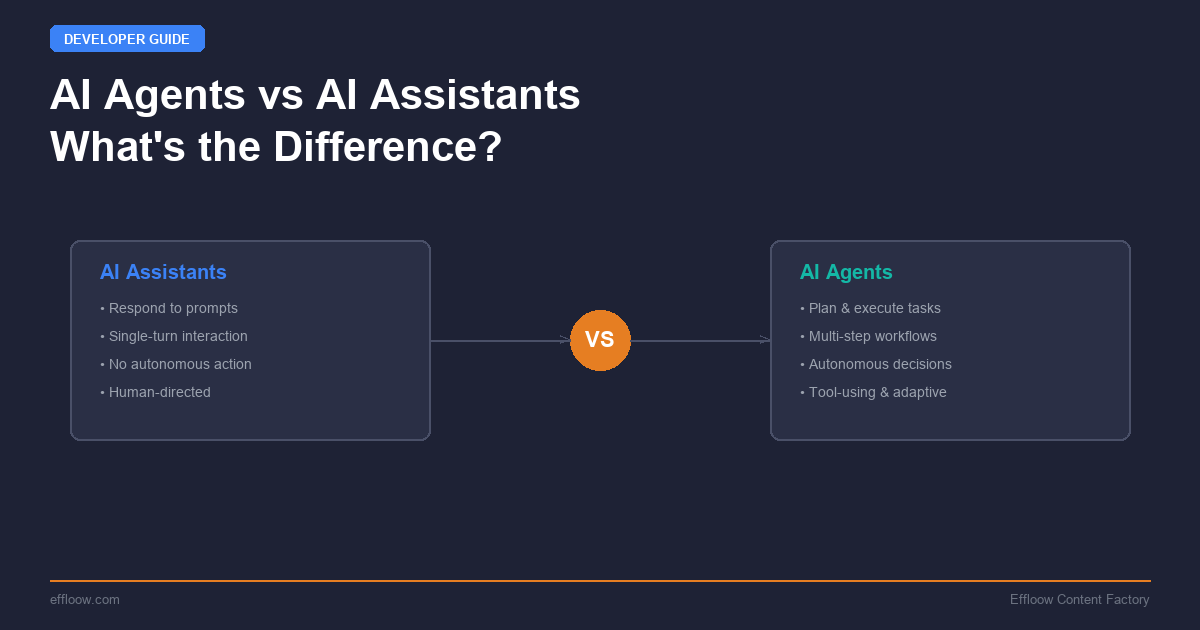
An AI assistant responds to a prompt and returns an output. An AI agent receives a goal, decides what steps to take, executes those steps using tools, observes the results, and iterates until the goal is met — or it determines the goal cannot be met.
The distinction matters because choosing the wrong architecture for your use case costs real money and real time. Building a full agent when you need a single-turn completion wastes tokens and adds latency. Building a simple assistant when you need multi-step reasoning with tool use produces brittle, error-prone systems.
This guide breaks down the technical differences, walks through the autonomy spectrum, covers human-in-the-loop patterns, and provides concrete code examples so you can make the right architecture decision for your next project.
The Core Difference: Response vs Goal Pursuit
An AI assistant operates in a request-response loop. You send a prompt, it returns a completion. The assistant does not take actions, manage state across turns, or decide what to do next. Every interaction is stateless or lightly stateful (via conversation history).
An AI agent operates in a goal-action-observation loop. You define an objective. The agent breaks that objective into steps, selects tools to execute those steps, observes the outcomes, and adjusts its plan based on what it learns. Agents maintain state, make decisions, and can run for extended periods without human input.
Here is the simplest way to see the difference in code:
AI Assistant: Single-Turn Completion
from anthropic import Anthropic

client = Anthropic()

# Assistant: prompt in, response out
response = client.messages.create(
    model="claude-sonnet-4-6",
    max_tokens=1024,
    messages=[
        {"role": "user", "content": "Explain the CAP theorem in two sentences."}
    ]
)
print(response.content[0].text)
This is a stateless call. The model receives input, generates output, and the interaction is complete. There is no tool use, no state management, no iterative reasoning.
AI Agent: Multi-Step Goal Pursuit
from anthropic import Anthropic
import json

client = Anthropic()

tools = [
    {
        "name": "search_codebase",
        "description": "Search the codebase for files matching a pattern",
        "input_schema": {
            "type": "object",
            "properties": {
                "query": {"type": "string", "description": "Search query"}
            },
            "required": ["query"]
        }
    },
    {
        "name": "read_file",
        "description": "Read the contents of a file",
        "input_schema": {
            "type": "object",
            "properties": {
                "path": {"type": "string", "description": "File path"}
            },
            "required": ["path"]
        }
    },
    {
        "name": "write_file",
        "description": "Write content to a file",
        "input_schema": {
            "type": "object",
            "properties": {
                "path": {"type": "string"},
                "content": {"type": "string"}
            },
            "required": ["path", "content"]
        }
    }
]

messages = [
    {"role": "user", "content": "Find all Python files with SQL queries and add parameterized query handling."}
]

# Agent loop: reason, act, observe, repeat
while True:
    response = client.messages.create(
        model="claude-sonnet-4-6",
        max_tokens=4096,
        tools=tools,
        messages=messages
    )

    # Check if the agent is done
    if response.stop_reason == "end_turn":
        # Extract final text response
        for block in response.content:
            if hasattr(block, "text"):
                print(block.text)
        break

    # Process tool calls
    messages.append({"role": "assistant", "content": response.content})
    tool_results = []
    for block in response.content:
        if block.type == "tool_use":
            result = execute_tool(block.name, block.input)  # Your implementation
            tool_results.append({
                "type": "tool_result",
                "tool_use_id": block.id,
                "content": result
            })
    messages.append({"role": "user", "content": tool_results})
The agent loop is the critical difference. The model decides which tools to call, interprets the results, and determines whether to continue or stop. It manages its own execution flow. This is the architecture behind tools like Claude Code and other terminal AI coding agents that can autonomously navigate codebases, run tests, and iterate on fixes.
The Autonomy Spectrum
Agents and assistants are not binary categories. They exist on a spectrum of autonomy, and most real-world systems sit somewhere in the middle.
| Level | Name | Description | Example |
|---|---|---|---|
| 0 | Completion | Single prompt, single response. No tools. | ChatGPT basic chat, autocomplete |
| 1 | Tool-Augmented Assistant | Single turn with tool calls, but human initiates each step. | Retrieval-augmented generation (RAG), web search + answer |
| 2 | Supervised Agent | Multi-step execution with human approval at key decision points. | Claude Code with permission prompts, PR review bots |
| 3 | Autonomous Agent | Runs independently toward a goal. Reports results when done. | CI/CD agents, data pipeline monitors, automated testing agents |
| 4 | Multi-Agent System | Multiple agents coordinate to achieve a complex goal. | Company run by 14 AI agents, agent swarms |
Most production systems in 2026 operate at Level 2 — supervised agents. The technology for Level 3 and 4 is available, but the trust and reliability gaps mean that human oversight remains the default for anything that touches production systems, customer data, or financial transactions.
Where Popular Tools Sit on the Spectrum
- ChatGPT / Claude.ai chat: Level 0-1 (completion with optional tool use)
- GitHub Copilot inline suggestions: Level 0 (pure completion)
- GitHub Copilot agent mode: Level 2 (multi-step with approval)
- Claude Code: Level 2-3 (supervised or autonomous depending on configuration)
- Codex CLI: Level 2-3 (sandbox-first execution model)
- Devin / SWE-Agent: Level 3 (autonomous coding agents)
- Paperclip agents: Level 3-4 (autonomous with multi-agent coordination)
Human-in-the-Loop (HITL) Patterns
The gap between "agent that can do everything" and "agent you should let do everything" is where human-in-the-loop patterns live. These are the architectural patterns that let you get the productivity benefits of agents while managing risk.
Pattern 1: Approval Gates
The agent executes freely until it reaches a high-risk action (file write, API call, deployment), then pauses for human approval.
REQUIRES_APPROVAL = {"write_file", "delete_file", "deploy", "send_email"}

def execute_with_approval(tool_name: str, tool_input: dict) -> str:
    if tool_name in REQUIRES_APPROVAL:
        print(f"\n[APPROVAL REQUIRED] Agent wants to: {tool_name}")
        print(f"  Input: {json.dumps(tool_input, indent=2)}")
        approved = input("Approve? (y/n): ").strip().lower()
        if approved != "y":
            return "Action denied by user."
    return execute_tool(tool_name, tool_input)
This is how Claude Code handles permissions by default. Read operations run freely. Write operations prompt the user. You can escalate to full auto-approval once trust is established.
Pattern 2: Budget Constraints
Limit the agent's execution by token budget, time budget, or action count. This prevents runaway loops where the agent burns through API credits trying to solve an impossible problem.
MAX_ITERATIONS = 20
MAX_TOKENS_SPENT = 100_000
iterations = 0
tokens_spent = 0

while iterations < MAX_ITERATIONS and tokens_spent < MAX_TOKENS_SPENT:
    response = client.messages.create(...)
    tokens_spent += response.usage.input_tokens + response.usage.output_tokens
    iterations += 1

    if response.stop_reason == "end_turn":
        break

if iterations >= MAX_ITERATIONS:
    print("Agent hit iteration limit — escalating to human.")
Pattern 3: Observation-Only Mode
The agent analyzes and recommends but never executes. It produces a plan that a human reviews and runs manually. This is useful during the evaluation phase when you are building trust with a new agent system.
tools = [
    {
        "name": "propose_change",
        "description": "Propose a code change for human review. Does NOT execute.",
        "input_schema": {
            "type": "object",
            "properties": {
                "file": {"type": "string"},
                "description": {"type": "string"},
                "diff": {"type": "string"}
            },
            "required": ["file", "description", "diff"]
        }
    }
]
# Agent can only propose, never apply. Human applies the changes.
Pattern 4: Escalation Chains
When the agent encounters something outside its confidence threshold, it escalates to a human or a more capable agent instead of guessing.
system_prompt = """You are a code review agent. If you encounter any of the following,
STOP and escalate to a human reviewer:
- Security-sensitive code (auth, crypto, permissions)
- Database migration changes
- Changes to CI/CD configuration
- Any change you are less than 90% confident about

To escalate, use the escalate_to_human tool with a clear explanation."""
When to Build an Agent vs an Assistant
This is the decision framework. The wrong choice wastes engineering time and compute.
Build an Assistant When:
- The task is single-turn — user asks, system answers
- The output is text generation — summaries, translations, Q&A
- Latency matters more than thoroughness — sub-second responses
- There are no external actions — no files to write, no APIs to call
- The task has a clear, bounded scope — no ambiguity about what "done" means
Examples: customer FAQ bot, content summarizer, code explanation tool, search result synthesizer.
Build an Agent When:
- The task requires multiple steps with dependencies between them
- The system needs to use tools — search, read files, call APIs, write outputs
- The task involves planning and reasoning — the optimal path is not known upfront
- Iteration is expected — the first attempt may not work, and the system should retry with a different approach
- The output involves side effects — changed files, created tickets, sent messages
Examples: coding agents, research assistants that search and synthesize, data pipeline monitors, automated testing systems, deployment agents.
The Cost-Complexity Tradeoff
Agents cost more per task than assistants. An agent solving a coding problem might make 10-50 API calls with tool use, spending 50,000-500,000 tokens. An assistant answering a question about the same code spends 1,000-5,000 tokens.
The tradeoff is human time. If the agent saves a developer 30 minutes of manual work, the $0.50-$5.00 in API costs is trivially worth it. If the task would take a human 10 seconds, running an agent loop is wasteful.
Rule of thumb: If the task takes a human less than 2 minutes, use an assistant. If it takes more than 10 minutes, consider an agent. The middle ground depends on how frequently the task recurs.
Real-World Agent Architectures
The ReAct Pattern
Most production agents in 2026 follow the ReAct (Reasoning + Acting) pattern: the model alternates between reasoning about what to do and taking actions with tools. This is the pattern used in LangGraph, Claude's tool use, and OpenAI's function calling.
The key insight of ReAct is that the model reasons before each action, creating a chain of thought that explains why it chose a particular tool call. This makes agent behavior more interpretable and debuggable than pure action sequences.
If you want to build a ReAct agent from scratch, our LangGraph tutorial walks through the full implementation with state management, conditional routing, and memory.
The Planner-Executor Pattern
A more sophisticated architecture splits the agent into two components:
- Planner: Receives the goal, analyzes it, and produces a step-by-step plan
- Executor: Takes each step from the plan and executes it with tools
The advantage is separation of concerns. The planner uses a more capable (and expensive) model for high-level reasoning. The executor uses a faster model for routine tool calls. You can also insert a human review step between planning and execution.
# Planner: use a strong reasoning model
plan_response = client.messages.create(
    model="claude-opus-4-6",
    system="Create a step-by-step plan. Output JSON array of steps.",
    messages=[{"role": "user", "content": f"Goal: {user_goal}"}]
)
plan = json.loads(plan_response.content[0].text)

# Executor: use a fast model with tools
for step in plan:
    exec_response = client.messages.create(
        model="claude-sonnet-4-6",
        tools=tools,
        messages=[{"role": "user", "content": f"Execute this step: {step}"}]
    )
    # Process tool calls...
Multi-Agent Coordination
For complex workflows, multiple specialized agents can collaborate. One agent handles research, another writes code, a third reviews it. This is the pattern behind systems like our 14-agent company and frameworks like the OpenAI Agents SDK.
The coordination challenge is real. Agents need shared context, clear handoff protocols, and conflict resolution when they disagree. Most multi-agent systems in production use a supervisor pattern — one orchestrator agent delegates to specialized workers and synthesizes their outputs.
The Vibe Coding Connection
The rise of agents has changed how developers write software. What started as AI-assisted autocomplete (Level 0) has evolved into vibe coding — describing what you want in natural language and letting an agent build it. Tools like Claude Code operate as supervised agents that can navigate entire codebases, run tests, and iterate on implementation.
This shift illustrates the practical difference between assistants and agents. An assistant suggests the next line of code. An agent implements an entire feature, debugging as it goes.
The comparison of vibe coding tools shows how different agent architectures produce different development experiences — from Bolt.new's single-shot generation to Claude Code's iterative, tool-using approach.
Choosing the Right Framework
If you decide to build an agent, these are the main framework options in 2026:
| Framework | Best For | Autonomy Level | Learning Curve |
|---|---|---|---|
| Anthropic API (raw tool use) | Full control, custom architectures | Any | Medium |
| LangGraph | Complex state machines, conditional flows | 2-4 | High |
| OpenAI Agents SDK | Multi-agent Python systems | 2-4 | Medium |
| CrewAI | Role-based multi-agent teams | 3-4 | Low |
| AutoGen | Research and conversational agents | 3-4 | Medium |
For most developers starting out, the raw Anthropic or OpenAI APIs with tool use provide the clearest learning path. The frameworks add value when you need state management, multi-agent coordination, or complex conditional logic.
Key Takeaways
- Assistants respond. Agents pursue goals. The fundamental difference is whether the system decides what to do next or the human does.
- The autonomy spectrum is not binary. Most production systems are supervised agents (Level 2), not fully autonomous ones.
- Human-in-the-loop is an architecture decision, not a limitation. Approval gates, budget constraints, and escalation chains are features, not training wheels.
- Choose based on task complexity. If the task takes a human under 2 minutes, use an assistant. Over 10 minutes with tool use? Build an agent.
- Start supervised, earn autonomy. Begin at Level 2 with approval gates. Move to Level 3 only after the agent has demonstrated reliability on your specific tasks.
The industry is moving toward agents. But the developers who build reliable, production-grade AI systems are the ones who understand when an assistant is the right answer — and when to invest in the complexity of an agent architecture.
Further reading: For a hands-on look at building agents with specific frameworks, see our LangGraph tutorial, CrewAI multi-agent guide, or OpenAI Agents SDK tutorial. To see how agent concepts apply outside of coding — in productivity tools — read our Taskade review.
Get weekly AI tool reviews & automation tips
Join our newsletter. No spam, unsubscribe anytime.