Framer Review 2026: AI Website Builder Guide
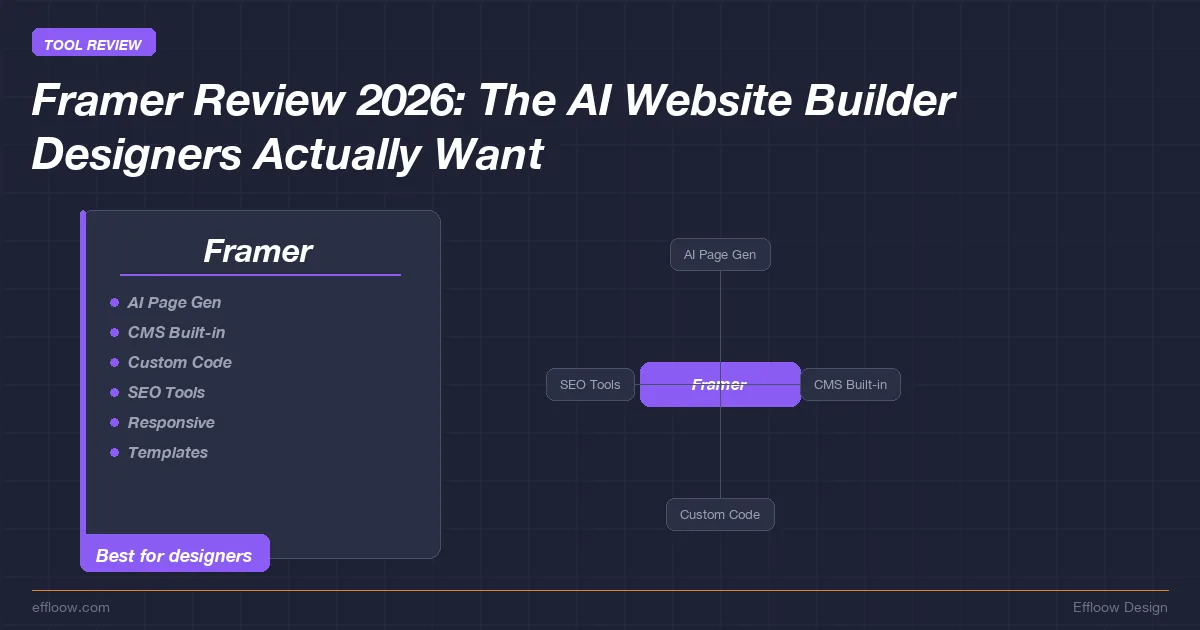
Framer is a hosted website builder for teams that want a design-first canvas, built-in publishing, CMS collections, AI-assisted page generation, localization, and React code components in one workflow. Every capability, limit, and price below comes from Framer's own documentation and pricing page, checked in July 2026, with the source linked so you can confirm it. Framer restructured its plans this year — the Scale tier is gone and an AI-credits system replaced parts of the old model — so if you are working from an older comparison, the numbers here supersede it.
The short version: Framer is strongest when the website is primarily a marketing, portfolio, launch, or design-led content surface. It gets weaker when the project needs native e-commerce, deeply customized backend logic, or a large editorial operation that leans on publishing workflows outside Framer's CMS.
| Fit | Use cases |
|---|---|
| Strong fit | Design-led marketing sites, portfolios, launch pages |
| Possible fit | Moderate CMS sites, multi-language pages, agency workflows |
| Weak fit | Native e-commerce, complex apps, large editorial systems |
What Is Framer? (And Why It Is Not Just a Prototyping Tool Anymore)
Framer began as a prototyping tool for interaction designers and now presents itself as a full website platform. If you remember Framer Classic or Framer X, the current product is materially different: the public positioning now emphasizes visual website creation, CMS, AI tools, hosting, localization, templates, and publishing.
Modern Framer is a fully visual website builder with integrated hosting, a CMS, AI-powered generation, and a marketplace for templates, plugins, and components. The product now competes with Webflow, Squarespace, Wix, and WordPress for production marketing websites, especially when the buyer cares about design control more than broad app-platform depth.
Framer's main differentiator is the canvas. Where Webflow gives you a structured, box-model-driven editor and Squarespace gives you templates with constrained customization, Framer emphasizes a design-tool-like surface. You control spacing, typography, layout, effects, and responsive breakpoints inside the same hosted publishing environment.
This matters because the gap between design and implementation has always been where quality dies. You design something beautiful in Figma, then spend hours trying to recreate it in a builder that fights you on every pixel. Framer closes that gap because the builder is the design tool.
Core Capabilities at a Glance
- Freeform visual editor with responsive breakpoints and auto-layout
- AI site generation from text prompts via Wireframer
- Built-in CMS with collections, filtering, and dynamic pages
- Code components in React for developers who need custom functionality
- One-click publishing with integrated hosting on a global CDN
- Template marketplace with community-built starters
- AI translation for multi-language sites
- SEO controls including metadata, sitemap generation, and Open Graph tags
If you have been following the vibe coding trend where developers describe what they want and AI builds it, Framer's AI features sit in a similar space — but for designers and non-technical founders instead of engineers.
Framer AI: How AI Website Generation Actually Works
Framer's AI features sit in three visible areas: site generation, content rewriting, and translation.
Generating a Full Site from a Text Prompt
Framer's Wireframer feature lets you generate a responsive page by describing what you want in natural language. You open a new project, select "Generate with AI," and type a prompt like "portfolio website for a freelance brand designer with a dark theme, project gallery, about section, and contact form."
The generated output is intended to provide:
- A layout framework based on your description
- Starter copy that matches your stated purpose
- Placeholder sections you can customize
- Responsive behavior across desktop, tablet, and mobile breakpoints
The output should be treated as a starting point, not a finished website. A responsible workflow still requires reviewing the structure, replacing generic copy, checking responsive behavior, and adding real product or brand assets.
Generated layouts from AI website tools often need refinement before publication. With Framer, the practical value is not that AI replaces design judgment; it is that a prompt can create a first draft that designers can reshape on the canvas.
If you are familiar with vibe coding tools like Bolt.new and Lovable, Framer's AI generation is conceptually similar but aimed at visual design rather than application code. The output is a website layout, not a codebase.
AI Translation and Content Rewriting
Framer's public CMS page says Framer can translate user-generated content into more than 200 languages. Translation should still be reviewed by a fluent human for legal, technical, medical, financial, or brand-sensitive content.
Framer also offers AI-powered content rewriting within the editor, allowing you to adjust tone, length, and style of existing text blocks. This is useful for iterating on copy without leaving the canvas.
AI Image Generation
Framer documents AI-powered design tools on its pricing page, and the editor experience includes AI-assisted visual creation workflows. For final production imagery, teams should still verify rights, brand fit, accessibility, and factual accuracy before publishing.
AI Plugins for Custom Workflows
Developers can build plugins and code components for custom workflows. If those workflows call external AI APIs, teams need their own security, privacy, and cost controls; Framer's public product pages do not remove the need to review third-party model behavior.
Framer Key Features Deep Dive
Visual Editor — Designing Like Figma, Publishing Like WordPress
The visual editor is Framer's primary differentiator. If you have used Figma, Sketch, or similar design tools, the Framer canvas is easier to understand than a traditional CMS admin screen. You work with layers, frames, layout controls, effects, and direct manipulation of page elements.
Key design capabilities include:
- Auto-layout that handles responsive behavior without manual breakpoint adjustments
- Stacks for flexible horizontal and vertical arrangements
- Scroll-based animations with granular control over timing and easing
- Hover, tap, and scroll interactions that you configure visually
- Component system with variants and properties for reusable design elements
- Smart components that maintain state and respond to user interaction
The animation system is an important reason teams evaluate Framer. You can create scroll-triggered effects, hover state transitions, page transitions, and micro-interactions visually. For design-focused sites where motion quality matters, that puts Framer in the same buyer conversation as Webflow rather than template-first builders alone.
CMS — Built-In Content Management (and Its Limits)
Framer's CMS lets you create collections, define fields, and build dynamic pages that pull from those collections. Framer's CMS page currently highlights data collections, deep filtering, visual content editing, references, pagination, localization, automated SEO, and AI translations.
What works:
- Visual collection design — define fields and content structure without code
- Dynamic pages that automatically generate from collection items
- Filtering and sorting on collection lists
- References for connecting collections
- Pagination and localization for larger content surfaces
Plan limits still matter:
- CMS item caps — Framer's current pricing page lists 1,000 CMS items on Free and Basic, and 2,500 on Pro, before add-on expansion
- CMS collection caps — Free lists 10 collections, Basic lists 2, and Pro lists 10
- Site-page caps — Basic lists 30 pages and Pro lists 150 (Free allows unlimited design pages but no custom domain)
- Workflow fit — Framer is still a hosted visual website builder, not a general-purpose headless CMS or application backend
For a portfolio, product site, agency site, or moderate resource library, those limits are usually enough. A publisher with complex editorial roles, a heavy review workflow, or tens of thousands of records should price Framer's Pro add-on expansion or an Enterprise quote against a dedicated CMS before committing.
Code Components — React for Developers
This is where Framer gets interesting for developers. You can write custom React components and use them alongside visual elements on the Framer canvas. These code components have full access to React's ecosystem — hooks, state management, third-party libraries — and they render as native elements on the published site.
Developer features include:
- Code components — custom React components with visual property controls that designers can configure in the editor
- Code overrides — higher-order components that modify properties of any layer or component
- Fetch API — build API endpoints that designers can use on their sites without code
- Plugins — small apps that interact with the Framer editor and CMS
For teams with both designers and developers, this is a powerful model. Designers build the visual layout. Developers create custom components for complex functionality — interactive data visualizations, custom forms, third-party integrations. Both work in the same tool without stepping on each other.
If you are using AI code editors like Cursor or Windsurf for your development workflow, you can write Framer code components in your preferred editor and import them into the platform.
Templates and Marketplace
Framer's marketplace includes community-built templates, components, and plugins across categories such as portfolios, landing pages, agency sites, SaaS pages, and personal sites. Prices vary by creator and should be checked on the marketplace before purchase.
The marketplace is also where Framer's Creators Program matters. Framer's creator documentation says creators can keep 100 percent of sales revenue from paid templates, and template remix links can qualify for a 50 percent commission on the user's first year of eligible self-serve subscription upgrades. Framer's Creators page also reports a 2025 creator payout figure; treat marketplace earnings claims as platform-reported rather than independently verified.
Beyond templates, the marketplace includes components (reusable design elements) and plugins (editor extensions) that extend Framer's functionality without code.
SEO Features and Limitations
Framer includes built-in SEO controls that cover the essentials:
- Page-level metadata — title tags, meta descriptions, and Open Graph tags
- Automatic sitemap generation for search engine crawling
- Clean URL structure with customizable slugs
- Google Lighthouse integration for performance monitoring
- Automatic image optimization and lazy loading
- Global CDN hosting bundled into every paid plan, with a premium CDN tier available on Enterprise, according to the current pricing page
Performance can be a reason to evaluate Framer because hosting and CDN delivery are bundled into the platform. There is no single Lighthouse score that applies to every Framer site, though. Real performance depends on your images, scripts, effects, embeds, fonts, and build choices, so run your own audit on a representative page before you rely on the number.
However, there are SEO limitations that matter for content-heavy sites:
- Plan-gated redirects and staging — redirects and staging are listed from Pro on the pricing page
- Analytics history varies by plan — the current pricing page lists 30 days on Free and Basic, and 90 days on Pro
- Advanced analytics is an add-on — Framer lists Convert as an add-on priced by event volume
- SEO workflow still requires review — teams should validate sitemap, metadata, structured data needs, and indexing after launch
For SEO-focused content sites, tools like Surfer SEO can complement Framer's built-in capabilities, but you should know that Framer is optimized for marketing sites and portfolios more than content-heavy blogs.
Is Framer good for SEO? It covers many fundamentals: metadata, sitemap behavior, image optimization, clean URLs, and hosted delivery. For advanced editorial SEO, structured-data customization, large-scale redirects, and analytics workflows, verify the exact requirements against Framer's plan features before migrating.
Framer Pricing 2026: Current Public Plan Limits
Framer simplified its plans in 2026. The old Scale tier is retired, and the lineup is now Free, Basic, Pro, and Enterprise, each with a monthly pool of AI credits. Pricing is time-sensitive, so treat the table below — read from Framer's public pricing page in July 2026 — as a snapshot to verify again before you buy.
Free vs Basic vs Pro vs Enterprise
| Feature | Free | Basic ($10/mo) | Pro ($30/mo) | Enterprise |
|---|---|---|---|---|
| Site pages | Unlimited (design pages, Framer domain) | 30 | 150 | Custom |
| CMS collections | 10 | 2 | 10 | Custom |
| CMS items | 1,000 | 1,000 | 2,500 | Custom |
| Monthly bandwidth | 1 GB | 50 GB | 100 GB | Custom |
| AI credits | 500 (one-time trial) | 1,000 / month | 3,000 / month | Custom |
| Custom domain | No | Yes | Yes | Yes |
| Analytics history | 30 days | 30 days | 90 days | Custom |
| Staging environment | No | No | Yes | Yes |
| Site redirects | No | No | Yes | Yes |
| Editor seats | Up to 3 | $20/mo per extra editor | $20/mo per extra editor | Included |
Source: Framer pricing. Framer's subscriptions and charges help article and its AI credits and pricing update cover the plan changes and billing details.
The Free plan is for evaluation and prototyping. You get unlimited design pages and a generous 10 CMS collections, but no custom domain and only 1 GB of bandwidth, so it is a place to learn the editor rather than run a real site.
The Basic plan at $10 per month is the entry point for a custom-domain site: 30 pages, 2 CMS collections, 1,000 CMS items, 50 GB of bandwidth, and 1,000 AI credits a month.
The Pro plan at $30 per month adds the workflow features most teams actually need — staging and rollback, roles and permissions, relational CMS, redirects — plus larger limits and 3,000 AI credits a month. Add-ons push the ceilings much higher (Framer documents Pro expanding to tens of thousands of CMS items and multiple terabytes of bandwidth), so a growing site scales on Pro rather than jumping to a separate tier.
Costs That Need a Second Look
The base site price is not the whole cost once you add a team or multiple languages. Framer's pricing and billing docs list several extras that move the total:
- Extra editor seats — $20 per month per additional editor on Basic and Pro, with viewer seats free
- Translation locales — priced per locale beyond the plan's included allotment
- AI credit top-ups — the monthly credit pool funds AI generation and translation; heavy use may need more than the plan includes
- Add-on expansion — pages, CMS collections, CMS items, and bandwidth can be raised on Pro through paid add-ons
For a solo founder building one site, these extras rarely matter. For an agency running several client sites with team access and multi-language content, the line items can outweigh the headline plan price.
Set that against a platform like WordPress on a self-hosted stack under $20 per month and the trade-off is clear. Framer sells speed and design quality, not the lowest possible bill at scale.
Framer vs Webflow: Which Should You Choose?
This is the comparison most people searching for a Framer review actually want. Both platforms target designers and agencies. Both offer visual builders, CMS capabilities, and code extensibility. The differences are real and meaningful.
| Aspect | Framer | Webflow |
|---|---|---|
| Design approach | Freeform canvas (Figma-like) | Box model / structured layout |
| Learning curve | Moderate (intuitive for designers) | Steep (CSS knowledge helps) |
| AI features | AI site generation, translation, image gen | Webflow AI (newer, more limited) |
| CMS depth | Good for basic/medium needs; plan limits matter | Often chosen for deeper visual CMS workflows |
| Code extensibility | React code components | Custom code embed, Webflow APIs |
| Animation | Excellent (scroll, hover, page transitions) | Excellent (Interactions 2.0) |
| E-commerce | No native e-commerce | Full e-commerce platform |
| Hosting | Included, global CDN | Included, global CDN |
| Pricing (entry) | $10/mo Basic, per Framer pricing page | Check Webflow pricing before purchase |
| Pricing (professional) | $30/mo Pro, per Framer pricing page | Check Webflow pricing before purchase |
| Template marketplace | Growing, creator-friendly (0% cut) | Larger, established ecosystem |
| Localization | AI translation built-in | Requires third-party tools |
Choose Framer if: You are a designer who wants the canvas to feel like a design tool. You prioritize animation quality and interaction design. You want built-in AI translation for multi-language sites. You value speed of iteration over CMS depth.
Choose Webflow if: You need a robust CMS with nested collections and complex content relationships. You plan to add e-commerce. You are comfortable with CSS concepts and want granular control over the box model. You need a more mature ecosystem with more third-party integrations.
For marketing sites, landing pages, and portfolio sites, Framer may be the simpler design-led path. For content-heavy sites, membership platforms, or e-commerce, compare Webflow's current CMS, memberships, commerce, and integration options before choosing.
Framer vs Squarespace: Design Quality Compared
| Aspect | Framer | Squarespace |
|---|---|---|
| Design freedom | Freeform, unlimited layout control | Template-based with constrained customization |
| Animation | Full animation toolkit | Basic fade/slide effects |
| CMS | Flexible collections | Blog and product focused |
| AI features | AI generation, translation, image gen | Squarespace AI (text and image generation) |
| E-commerce | None | Built-in, mature |
| Pricing | From $10/mo Basic, per Framer pricing page | Check Squarespace pricing before purchase |
| Learning curve | Moderate | Low |
| Best for | Designers wanting creative control | Non-technical users wanting polished templates |
Squarespace is often the lower-friction choice for non-designers who want a polished template and built-in business features. Framer is more appropriate when the team wants more design control, motion, and a canvas-first workflow.
Framer vs Wix: Ease of Use vs Design Control
| Aspect | Framer | Wix |
|---|---|---|
| Design approach | Freeform professional canvas | Drag-and-drop with AI positioning |
| AI features | AI site gen, translation, plugins | Wix ADI, AI text, AI image |
| App ecosystem | Growing marketplace | Larger business-app ecosystem |
| E-commerce | None | Full e-commerce suite |
| CMS | Flexible collections | Built-in with dynamic pages |
| Pricing | From $10/mo Basic, per Framer pricing page | Check Wix pricing before purchase |
| Performance | Hosted CDN; site quality depends on build choices | Hosted platform; site quality depends on build choices |
| Target user | Designers and developers | Small businesses and beginners |
Wix serves a broader small-business market with built-in options around booking, payments, email marketing, and operations. Framer is narrower: it is better evaluated as a design-led website platform for teams that can bring their own business systems where needed.
Framer vs WordPress: When to Use Each
| Aspect | Framer | WordPress |
|---|---|---|
| Setup complexity | Zero (hosted platform) | Requires hosting, domain, installation |
| Design flexibility | Freeform visual editor | Theme-dependent, page builders vary |
| Plugin ecosystem | Smaller marketplace of templates, components, and plugins | Large plugin ecosystem; exact count changes over time |
| CMS power | Basic to medium | Unlimited (custom post types, ACF, etc.) |
| Performance | Hosted CDN; depends on page implementation | Depends heavily on hosting, theme, plugins, and maintenance |
| SEO tools | Built-in basics | Mature plugin ecosystem for SEO workflows |
| Cost at scale | Per-site and add-on pricing | Hosting, maintenance, plugin, and developer costs vary |
| Maintenance | Zero (managed platform) | Ongoing (updates, security, backups) |
| Best for | Marketing sites, portfolios | Content sites, blogs, complex applications |
WordPress can cover a wider range of publishing and application scenarios with the right hosting, plugins, and configuration. That flexibility comes with maintenance, security, backup, and performance responsibilities. Framer removes much of that operational burden by being a hosted platform, but it also narrows what you can customize.
For content-heavy sites with complex editorial workflows, WordPress with proper hosting may remain the better choice. For a marketing site, portfolio, or product landing page where design iteration matters most, Framer deserves evaluation.
If you are considering self-hosting WordPress or other platforms, our guide to self-hosted deployment platforms like Coolify covers the infrastructure side.
- Freeform visual editor that feels closer to a design tool than a traditional CMS
- Full animation toolkit with scroll, hover, and page transitions — no code required
- React code components let developers add custom functionality alongside visual design
- AI translation built in for multi-language sites without third-party plugins
- Hosted CDN and SEO controls are bundled into the platform
- Framer's creator docs say paid-template creators keep 100% of sales revenue
- CMS item, collection, page, bandwidth, and locale limits need plan-by-plan review
- Editor seats, extra locales, and AI-credit top-ups can raise the real monthly cost
- No native e-commerce — must use Shopify or another platform
- Large publishing operations may need dedicated CMS or editorial tooling
- Advanced SEO, analytics, and structured-data requirements require project-specific validation
- Steeper learning curve than Squarespace or Wix for non-designers
When to Use Framer, and When to Skip It
The fastest way to decide is to rule Framer out before you rule it in. Skip it if any of these is a hard requirement: native e-commerce (checkout, inventory, tax), a large editorial CMS with dozens of content types and reviewer roles, a real application backend, or the absolute lowest monthly cost. Any one of those points you toward Shopify, Webflow, WordPress, or a headless stack instead.
If none of those is a dealbreaker, Framer is worth a real trial. The lists below sort the common cases.
Framer is excellent for:
- Freelance designers building portfolio sites and client landing pages
- Startup founders who need a polished marketing site fast
- Agencies delivering high-design marketing sites at scale
- Design-focused brands where animation and interaction quality define the brand
- Multi-language businesses that benefit from built-in AI translation
- Developers who want to combine visual design with React code components
Framer is not the right choice for:
- E-commerce businesses — no native e-commerce; use Shopify or Webflow
- Content-heavy publishers — CMS item limits and missing blog features are real constraints
- Budget-conscious solopreneurs — costs add up quickly with editor seats and locales
- Non-technical users wanting maximum simplicity — Squarespace or Wix are easier to learn
- Applications with complex backend logic — Framer is a website builder, not an app platform
Framer Creators Program: Monetization Details
The Framer Creators Program offers two monetization paths:
1. Marketplace sales
Create and sell templates, components, plugins, or other Marketplace products. Framer's creator help article says paid-template creators keep 100 percent of their sales revenue. Framer's public Creators page also reports a 2025 creator payout figure, which is a platform-reported number rather than an independently verified one.
2. Template referral commission
Framer's creator help article says templates are the only Marketplace product type that can generate referral commissions. It also says eligible self-serve site plan, editor, and locale upgrades can earn a 50 percent commission on the user's first year when the upgrade happens through a template remix link. Enterprise upgrades are not eligible under that documentation.
For designers and agencies who already recommend tools to clients, this can become a monetization path. Model it conservatively, though: traffic, conversion rate, refund behavior, marketplace placement, and template support burden vary too much to forecast from published figures, so real earnings depend on your own account data.
Verdict: Is Framer Worth It in 2026?
Framer is a credible AI-assisted website builder for designers, agencies, founders, and developers who want a visual canvas with hosted publishing. The strongest public evidence is product-surface evidence: the pricing page, CMS page, creator documentation, and help articles show a platform that combines design, CMS, localization, code components, hosting, and marketplace distribution.
The trade-offs are also clear: plan limits matter, team and locale costs can increase the real monthly bill, and Framer is not a native e-commerce platform or general backend platform. Large editorial sites should validate CMS limits and workflow requirements before migrating.
If you are a designer tired of rigid templates, Framer is worth testing. If you are a developer who wants to contribute code components without owning the entire frontend, Framer's React integration is relevant. If you are a founder who needs a professional marketing site quickly, Framer's AI generation can help you start from a draft instead of a blank canvas.
Effloow recommendation: Start with the Free plan or a small non-critical project to learn the editor. Before upgrading, check the current pricing page for site pages, CMS items, bandwidth, editor seats, locales, and your monthly AI-credit needs. Upgrade only when your project's content model and team workflow fit those limits.
For teams already invested in the broader AI tooling ecosystem — whether that is AI presentation tools like Gamma for decks or automation platforms like n8n for workflows — Framer fits naturally as the website layer. It is purpose-built for a world where AI handles the scaffolding and humans focus on the creative decisions that matter.
Framer is a strong candidate for design-led marketing sites, portfolios, launch pages, and moderate CMS projects. It is less suitable when the project needs native e-commerce, complex backend logic, or large editorial operations. Verify current pricing and limits before purchase.
What Effloow Added
Framer's own site sells Framer. A buyer needs to know where it loses, and to whom. We built the comparison the marketing page won't:
- Framer placed against Webflow, Squarespace, Wix, and WordPress — each competitor linked to its official source — so the choice rests on a real trade-off (design control vs e-commerce, backend logic, or editorial scale), not Framer's framing.
- A rule-it-out-first decision filter, plus a who-should-avoid-it section: native e-commerce, complex backends, and large editorial operations are called out as poor fits before the who-it-suits list.
- Pricing reconciled with Framer's 2026 restructure — the retired Scale tier removed, the new AI-credit pools added, and current base limits read from the live pricing page, so the table matches what you will actually see at checkout.
The value is the honest fit-and-avoid decision across five tools, not a single-product brochure.
Get the next one
in your inbox.
One short weekly dispatch with new guides, tools, and what we tested. No spam, unsubscribe anytime.
Get weekly AI tool reviews & automation tips
Join our newsletter. No spam, unsubscribe anytime.
More in Articles
Compare 2026 AI DevOps tools — Harness AIDA, Amazon Q, Datadog Bits AI, GitLab Duo, Copilot — on CI/CD, incidents, and IaC, with a source-checked cost table
DeepSeek V4-Pro at $0.435/M input vs GPT-5.5 at $5.00/M. Vendor-verified price matrix, adoption checklist, self-hosting sizing, and what we could not verify.
Google's Antigravity agent builds full-stack apps from a prompt, provisioning Firestore and Auth. The published free-tier quotas and limits, sourced.
Alibaba's Qwen3.6-Plus: 1M token context, agentic coding, hybrid MoE, ~$0.29/M input. Sourced benchmarks vs Claude Opus 4.7 and a when-to-skip guide.