Databricks Unity AI Gateway: MCP Agent Governance Guide
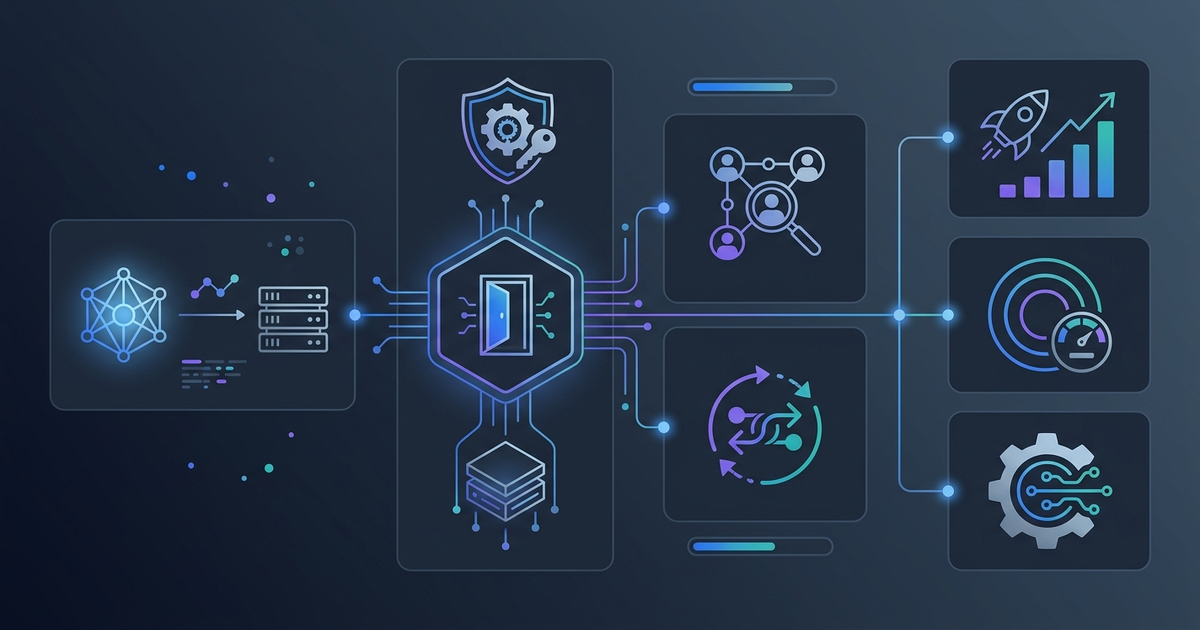
Enterprise AI adoption has hit a governance wall. Organizations that rushed to deploy LLM-powered applications now face an uncomfortable reality: dozens of agents making API calls across multiple providers, MCP servers accessing sensitive data without proper audit trails, and no unified way to track what any of it costs. Databricks calls this "agent sprawl," and in April 2026 they shipped a direct answer: Unity AI Gateway.
This guide covers what Unity AI Gateway actually does, how its MCP governance model works in practice, and where it fits in the broader enterprise AI infrastructure stack.
Why This Matters: The Agent Sprawl Problem
The shift to agentic AI workflows created a governance gap that earlier tooling wasn't designed to handle. A single production agent might:
- Call three different LLM providers in the same session
- Invoke five external MCP servers to access Slack, GitHub, and internal databases
- Run as a shared service account with broader permissions than any human would be granted
- Generate costs that get attributed to a catch-all "AI budget" line item
Traditional cloud IAM controls weren't designed for this pattern. You can restrict what a service account can do at the infrastructure level, but you can't easily say "this agent can use Claude for reasoning tasks but must route code generation to GPT-6, and can only access the GitHub MCP server if the requesting user has write access to that repo."
That's the problem Unity AI Gateway is designed to solve—not by adding another governance layer on top of your existing stack, but by extending the Unity Catalog permission model you may already use for data governance directly into your AI layer.
What is Unity AI Gateway?
Unity AI Gateway is the AI governance component of Databricks' Unity Catalog, extended to cover LLM endpoints, MCP servers, and coding agents. It was previously branded as Mosaic AI Gateway—the April 2026 rename to "Unity AI Gateway" signals the deeper integration with Unity Catalog's existing access control and audit infrastructure.
The core architecture positions AI Gateway as a proxy layer that sits between your agents and the external systems they call. Every request—whether it's an LLM completion from Anthropic's API or a tool call to a GitHub MCP server—passes through AI Gateway, where it's evaluated against access policies, monitored for compliance, and logged to a centralized audit table.
From a developer perspective, this is similar to how API gateways work in microservices architectures, but with two enterprise-specific additions: identity propagation (so the gateway knows who initiated the request, not just which service is making it) and Unity Catalog integration (so permissions are expressed in the same terms your data teams already use).
MCP Governance: The Key Differentiator
The most significant April 2026 addition is first-class MCP server governance. Model Context Protocol has gone from a research curiosity to standard infrastructure—97 million monthly SDK downloads as of March 2026—and most enterprise AI deployments now involve agents that use MCP servers to access internal systems.
The problem is that MCP servers are typically authenticated with service account credentials, which means every agent that connects gets the same access level regardless of who initiated the request. An agent helping a junior analyst might access the same financial data that a senior analyst would.
Unity AI Gateway addresses this with on-behalf-of (OBO) execution: when an agent calls an MCP server through AI Gateway, the server receives the requesting user's identity and permissions, not the agent's service account. The MCP server then enforces Unity Catalog permissions based on that user identity.
Every MCP server accessible through the workspace is registered in Unity Catalog as a catalog object. This means:
- Discovery: Teams can browse available MCP servers in the same interface they use to find datasets and tables.
- Access control: Admins grant or revoke MCP server access with the same
GRANTandREVOKEsyntax used for table permissions. - Audit logging: Every MCP call logs the requesting identity, connection name, HTTP method, and OBO status to a centralized audit table queryable via SQL.
This last point matters more than it might seem. When your compliance team asks "which agents accessed the customer data MCP server last quarter, and on whose behalf?", the answer is a SQL query rather than a multi-week log analysis project.
Managed vs. External MCP Servers
Databricks distinguishes between two server types:
Managed MCP servers are hosted by Databricks and pre-integrated with Unity Catalog. The initial set includes:
- Genie: Natural language queries against your Databricks data
- Vector Search: Semantic retrieval from indexed documents
- UC Functions: Custom tools registered as Unity Catalog functions
- DBSQL: Direct SQL execution against Unity Catalog tables
Managed servers inherit Unity Catalog permissions automatically—there's no additional configuration needed to enforce row-level security or column masking policies that already exist on your tables.
External MCP servers are third-party or self-hosted (GitHub, Slack, internal APIs). These are registered in Unity Catalog with a connection definition, and AI Gateway applies OBO auth when routing requests to them. Unity Catalog permissions control which users and service principals can access each external server.
LLM Safeguards: Beyond Simple Rate Limiting
AI Gateway's guardrail system has expanded significantly in 2026. The current feature set covers:
Rate Limiting
Rate limits apply at three granularities:
- Endpoint level: Maximum requests per minute across all callers
- User level: Per-identity limits to prevent runaway costs from a single misconfigured agent
- Group level: Department or team-scoped budgets enforced at the request layer
When a request exceeds a rate limit, it receives a 429 response. Other agents sharing the endpoint are unaffected.
Automatic Failover
AI Gateway supports multi-model endpoints where multiple LLM providers are listed in priority order. When the primary model returns a 429 (rate limited) or 5XX (server error), the gateway automatically routes to the next listed model—no application code changes needed.
This is useful for reliability, but it's also a cost optimization mechanism: you can list an expensive frontier model first and a faster, cheaper model as fallback, catching cases where the premium model is unavailable rather than failing the request entirely.
LLM-Judge Guardrails
The guardrail system uses an LLM-judge approach—configurable with custom models and prompts—to enforce policies that can't be expressed as simple rules. Available checks include:
- PII detection and redaction: Identify and mask personal information in inputs or outputs before logging
- Content safety: Block or flag outputs that violate configured policies
- Prompt injection defense: Detect attempts to override system instructions through user input
- Data exfiltration prevention: Flag requests that appear to be extracting bulk data
- Hallucination checks: Evaluate output confidence against retrieved context
Each guardrail is independently configurable. Violations result in request rejection or data masking, and all enforcement actions are logged. You can run guardrails on input, output, or both.
End-to-End Observability with MLflow Tracing
Governance without observability is incomplete—you need to know not just whether your policies are enforced but what your agents are actually doing at execution time. MLflow Tracing provides the second half of this picture.
When an agent runs through Databricks, MLflow automatically captures:
- LLM calls: Model, prompt, response, token count, latency
- MCP tool calls: Which server, which tool, inputs and outputs, execution time
- Agent reasoning steps: The sequence of decisions that led to each tool call
- Retrieval operations: Documents fetched, similarity scores, chunk boundaries
This trace data is OpenTelemetry-compatible, so it flows naturally into existing observability infrastructure. The Unity Catalog audit logs and MLflow traces complement each other: audit logs answer security and compliance questions ("who accessed what?"), while traces answer debugging and performance questions ("why did this agent make that tool call?").
Cost Attribution
One of the more practical capabilities is request tagging for cost attribution. Teams can attach custom tags to requests—project code, team name, user ID, deployment environment—and the system aggregates costs by those dimensions in Unity Catalog system tables.
This moves AI spend from a catch-all line item to something your finance team can actually work with. Product teams can see their LLM costs broken down by feature. Platform teams can identify which agents are consuming disproportionate resources. Budget alerts can trigger at the team or project level rather than only at the account level.
The DBU rate for Foundation Model API workloads starts at approximately $0.07 per DBU in the 2026 pricing, but the more significant value is the attribution clarity rather than the rate itself.
Practical Setup: Adding MCP Governance to an Existing Agent
Here's how the integration works in practice for a team that already has a Databricks workspace and wants to add governance to an agent that calls external MCP servers.
Step 1: Register External MCP Servers
External MCP servers are registered as Unity Catalog connections. Using the Databricks UI or Terraform:
CREATE CONNECTION github_mcp
TYPE HTTP
OPTIONS (
  host 'https://api.github.com',
  port '443'
);

GRANT USAGE ON CONNECTION github_mcp TO `data-engineering-team`;
Once registered, the server appears in the MCP Servers tab of the Agents workspace and is discoverable by other teams.
Step 2: Configure AI Gateway on LLM Endpoints
Enable AI Gateway on a serving endpoint through the UI or API:
from databricks.sdk import WorkspaceClient
from databricks.sdk.service.serving import (
    AiGatewayConfig,
    AiGatewayGuardrails,
    AiGatewayRateLimit,
    AiGatewayUsageTrackingConfig
)

client = WorkspaceClient()

client.serving_endpoints.put_ai_gateway(
    name="production-llm-endpoint",
    ai_gateway=AiGatewayConfig(
        usage_tracking_config=AiGatewayUsageTrackingConfig(enabled=True),
        rate_limits=[
            AiGatewayRateLimit(
                calls=1000,
                renewal_period="minute",
                key="user"
            )
        ],
        guardrails=AiGatewayGuardrails(
            input_safety=True,
            pii_detection=True
        )
    )
)
Step 3: Route Agent Traffic Through AI Gateway
Agents call the AI Gateway endpoint rather than provider APIs directly. The endpoint URL is OpenAI-compatible, so most frameworks require only a base URL change:
from openai import OpenAI

client = OpenAI(
    api_key=databricks_token,
    base_url=f"https://{workspace_host}/serving-endpoints/production-llm-endpoint/v1"
)

# All requests now flow through AI Gateway
response = client.chat.completions.create(
    model="databricks-claude-sonnet-4-6",
    messages=[{"role": "user", "content": "Summarize Q1 sales data"}]
)
Step 4: Query Audit Logs
Audit data lands in Unity Catalog system tables, queryable via standard SQL:
SELECT
    user_identity,
    request_id,
    timestamp,
    mcp_connection_name,
    tool_name,
    on_behalf_of_user,
    response_status_code
FROM system.ai_gateway.mcp_audit_logs
WHERE timestamp > '2026-04-01'
  AND mcp_connection_name = 'github_mcp'
ORDER BY timestamp DESC
LIMIT 100;
Common Mistakes to Avoid
Using service accounts for all agent traffic: OBO auth only works if agents pass user identity through the request chain. If your agent framework authenticates with a shared service account and doesn't propagate user context, all MCP calls will appear to originate from that account in the audit logs. Check that your agent framework supports identity forwarding before deploying.
Configuring guardrails in blocking mode without testing: LLM-judge guardrails have non-zero latency and false positive rates. Start guardrails in monitoring mode to understand the false positive rate on your actual traffic before switching to blocking mode in production.
Skipping rate limit configuration for internal tools: Teams often configure rate limits on external-facing endpoints but skip them for internal tools. A misconfigured internal agent can generate the same runaway costs—set limits everywhere, not just at the perimeter.
Over-permissioning managed MCP servers: The convenience of managed servers can lead to blanket grants ("grant data-team access to all MCP servers") instead of the principle of least privilege. Audit which servers each team actually uses and grant accordingly.
Not tagging requests for cost attribution: Tags need to be set when the request is made—retroactive attribution isn't possible. Establish a tagging convention at project start, not after the first billing surprise.
Unity AI Gateway is the most complete enterprise AI governance platform available in 2026 for teams already on Databricks. The Unity Catalog integration means you're not adding a separate permission system—you're extending existing data governance to cover LLM calls and MCP tools. For organizations outside the Databricks ecosystem, the switching cost is high; alternatives like LiteLLM or Cloudflare AI Gateway provide a subset of the governance features without the platform lock-in.
How It Compares to Alternatives
Enterprise teams evaluating AI governance platforms typically consider three options besides Unity AI Gateway:
LiteLLM is the open-source alternative—140+ provider support, budget management, semantic caching, and self-hosted deployment. It lacks Unity Catalog integration and the OBO auth model for MCP servers, but it's a strong choice for teams that need multi-cloud LLM routing without vendor lock-in. We covered LiteLLM's setup in detail here.
Cloudflare AI Gateway handles edge caching, rate limiting, and spend controls at the CDN layer—zero code changes for basic observability. The governance model is simpler (no per-user identity propagation), making it better suited for customer-facing applications than internal agent workflows.
Native provider controls (Anthropic's system prompt policies, OpenAI's organization settings) provide some guardrails but don't unify multi-provider deployments and don't address the MCP governance problem at all.
| Capability | Unity AI Gateway | LiteLLM | Cloudflare AI Gateway |
|---|---|---|---|
| Multi-provider LLM routing | Yes | Yes (140+ providers) | Yes |
| MCP server governance | Yes (OBO auth) | No | No |
| Per-user rate limiting | Yes | Yes | No |
| LLM-judge guardrails | Yes | Partial | No |
| End-to-end traces | Yes (MLflow) | Yes (Langfuse/Helicone) | Basic |
| Unity Catalog integration | Native | No | No |
| Self-host option | No (Databricks managed) | Yes | No |
| Best for | Databricks-native enterprises | Multi-cloud / open-source | Edge / customer-facing |
FAQ
Q: Does Unity AI Gateway work with agents built outside Databricks?
Yes—any agent that can make HTTP requests to an OpenAI-compatible endpoint can route through AI Gateway. The gateway doesn't require Databricks-native agent frameworks. Identity propagation for OBO auth requires passing a user token in the request header, which most frameworks support via custom headers.
Q: How does OBO auth work when an agent initiates a multi-step workflow without a human in the loop?
For fully automated workflows without an active user session, OBO auth falls back to the service principal identity of the agent. The audit log records this as a service principal call rather than an end-user call. If your compliance requirements mandate user-level attribution for automated workflows, you'll need to either redesign the workflow to include human approval steps or accept service principal attribution for background tasks.
Q: Can I use Unity AI Gateway with Claude Code or Cursor?
Yes, as of April 2026, AI Gateway explicitly supports coding agent governance. The "Governing Coding Agent Sprawl" blog post from Databricks covers this use case in detail—you can route Claude Code and Cursor traffic through AI Gateway to enforce the same policies applied to other agents in your workspace.
Q: What's the latency overhead of routing through AI Gateway?
Databricks hasn't published precise latency benchmarks for AI Gateway overhead. In practice, the proxy layer adds single-digit millisecond overhead for policy evaluation on cached decisions. Guardrail evaluation—particularly LLM-judge checks—adds meaningful latency proportional to the complexity of the check. For latency-sensitive applications, configure guardrails in async monitoring mode rather than synchronous blocking mode.
Q: Is there a free tier for experimenting with Unity AI Gateway?
Unity AI Gateway is available on all Databricks workspace tiers, including the free trial. The Foundation Model API, which is the primary LLM endpoint type, charges at DBU rates that start around $0.07 per DBU. External provider pass-through endpoints (where you bring your own API key for Anthropic, OpenAI, etc.) incur DBU charges for the gateway itself but you pay the provider directly for model usage.
Key Takeaways
- Unity AI Gateway is Unity Catalog's governance layer extended to LLM endpoints and MCP servers—the same permissions and audit infrastructure, applied to AI.
- MCP governance is the standout April 2026 addition: every MCP server is a Unity Catalog object with fine-grained permissions and full audit logging, with OBO auth ensuring agents act with the requesting user's identity rather than a shared service account.
- Rate limiting (endpoint/user/group), automatic failover across providers, and LLM-judge guardrails are all configurable without application code changes.
- MLflow Tracing provides the debugging and performance visibility layer; Unity Catalog audit logs provide the compliance layer. They address different questions and are used together.
- For teams outside the Databricks ecosystem, LiteLLM covers most of the LLM routing and cost control use cases; the Unity Catalog integration is the primary reason to stay on Databricks AI Gateway specifically.
- Cost attribution via request tags is opt-in and must be configured before deployment—retroactive tagging isn't supported.
Prefer a deep-dive walkthrough? Watch the full video on YouTube.
Need content like this
for your blog?
We run AI-powered technical blogs. Start with a free 3-article pilot.