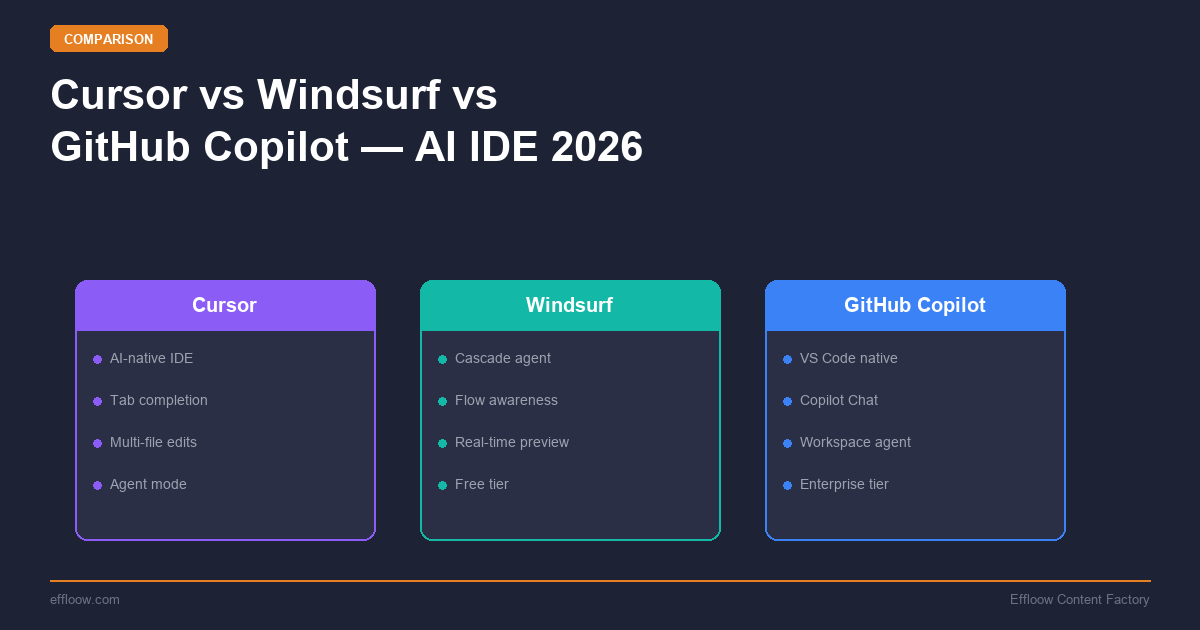
Cursor vs Windsurf vs GitHub Copilot: Which AI IDE Should You Use in 2026?
Hands-on comparison of Cursor, Windsurf, and GitHub Copilot in 2026. We compare pricing, agent mode, code quality, and which AI IDE fits your workflow.
Cursor vs Windsurf vs GitHub Copilot: Which AI IDE Should You Use in 2026?
The AI coding assistant landscape looked very different a year ago. In 2025, you had GitHub Copilot as the default, Cursor as the power-user alternative, and a handful of newer entrants trying to carve out a niche.
In 2026, three tools dominate the conversation: Cursor, Windsurf (formerly Codeium), and GitHub Copilot. Each has made significant moves — Cursor launched background agents that run tasks autonomously, Codeium was acquired by Cognition AI (the team behind Devin), and GitHub Copilot introduced a free tier with agent mode.
If you are choosing an AI coding assistant today, the question is no longer which one has AI features — they all do. The question is which tool fits the way you actually work: your IDE preferences, your team size, your budget, and whether you need inline completions, full agent mode, or both.
This guide breaks down the real differences so you can pick the right tool without spending a week testing all three. For a broader comparison including Zed, see our Cursor vs Windsurf vs Zed AI IDE comparison. For pricing details across the full AI coding stack, check our AI coding tools pricing breakdown.
Quick Comparison
| Feature | Cursor | Windsurf | GitHub Copilot |
|---|---|---|---|
| Type | Standalone editor (VS Code fork) | Standalone editor (VS Code fork) | IDE extension |
| Built by | Anysphere | Codeium (acquired by Cognition AI) | GitHub (Microsoft) |
| Free tier | Yes — 2,000 completions/mo | Yes — generous credits included | Yes — 2,000 completions/mo, 50 premium requests/mo |
| Pro price | $20/mo | $15/mo | $10/mo |
| Pro+ / Ultra | $60/mo (Pro+), $200/mo (Ultra) | $60/mo (Pro Ultimate) | $39/mo (Pro+) |
| Business price | $40/user/mo | $30/user/mo | $19/user/mo |
| IDE | Standalone (VS Code fork) | Standalone (VS Code fork) | VS Code, JetBrains, Neovim, Xcode |
| Agent mode | Yes (+ background agents) | Yes (Cascade) | Yes (Copilot agent mode) |
| Model access | Claude, GPT-5, Gemini, and more | GPT-4o, Codeium proprietary models | GPT-5, Claude, Gemini (Pro+ tier) |
| Background agents | Yes (cloud VMs) | Limited | Yes (Copilot Coding Agent) |
| Code review | In-editor | In-editor | PR-level (GitHub integration) |
Cursor: The Power User's Editor
Cursor is a standalone code editor — a fork of VS Code — built from the ground up around AI. Instead of adding AI as an afterthought to an existing editor, Cursor treats AI as the primary editing interface.
What Makes Cursor Different
Cursor's key advantage is deep integration between the editor and AI models. When you use Cursor's agent mode, it can read your entire project context, make multi-file edits, run terminal commands, and iterate on errors — all within a single conversation flow. This is fundamentally different from a Copilot-style extension that runs alongside your editor.
The background agents feature, introduced in late 2025 and refined in 2026, lets you spin up tasks that Cursor handles asynchronously. You describe what you want — "refactor the authentication module to use JWT" or "add unit tests for the payment service" — and Cursor works on it in the background while you continue coding in the foreground.
Pricing
- Free: 2,000 completions/month
- Pro: $20/month — unlimited completions, access to multiple AI models (Claude, GPT-5, Gemini), background agents
- Pro+: $60/month — 3x the credits of Pro for heavy agent users
- Ultra: $200/month — 20x credits, priority model access
- Business: $40/user/month — adds admin controls, centralized billing, usage analytics, and enforce-privacy mode
Strengths
- Best-in-class agent mode for multi-file edits
- Background agents for async task delegation
- Multi-model access — switch between Claude, GPT-4o, and others based on the task
- Supermaven-powered inline completions with a reported 72% acceptance rate and sub-150ms latency
- Composer mode for visual multi-file editing (10+ files simultaneously)
- Strong community and rapid iteration on features
Weaknesses
- Standalone editor means leaving your current IDE setup (VS Code extensions mostly transfer, but not all)
- No JetBrains version — if you work in IntelliJ, PyCharm, or WebStorm, Cursor is not an option
- Higher price point than Copilot, especially at the business tier
- Requires adoption of a new tool rather than enhancing an existing one
Windsurf: The Cognition-Backed Contender
Windsurf started as Codeium's AI code editor — a VS Code fork, similar to Cursor, with an AI-first interface. The big development was Cognition AI's acquisition of Codeium in late 2025. Cognition — the company behind Devin, the autonomous AI software engineer — brought Windsurf under its umbrella, with plans to integrate Devin's autonomous agent capabilities into the Windsurf experience. (Note: OpenAI also attempted a $3B acquisition of Codeium, but the deal reportedly fell through.)
What Makes Windsurf Different
Windsurf's standout feature is Cascade, its agentic coding system. Cascade tracks your edits, command outputs, and project state in real time to execute multi-step autonomous tasks. It combines code generation, terminal commands, and multi-file editing in a flow that tries to anticipate what you need next. The tool also features Supercomplete, a diff-box autocomplete overlay that shows predicted edits before you make them.
Windsurf ranked #1 in the LogRocket AI Dev Tool Power Rankings in early 2026, ahead of both Cursor and GitHub Copilot — a sign that the product has gained real traction despite the acquisition uncertainty.
Pricing
- Free: Generous credits included
- Pro: $15/month
- Pro Ultimate: $60/month — unlimited usage
- Teams: $30/user/month
Note: Pricing may change as Windsurf evolves under Cognition's ownership. Check the official Windsurf website for current pricing.
Strengths
- Cascade's agentic workflow is intuitive and handles multi-step tasks well
- Strong code completion engine (Codeium's original strength, built by a ~210-person engineering team)
- Lower price point than Cursor at every tier
- Good free tier for evaluation
- Cognition/Devin integration could bring best-in-class autonomous coding
Weaknesses
- Uncertain product roadmap following the Cognition acquisition
- Like Cursor, requires switching to a standalone editor
- No JetBrains support
- Smaller community and extension ecosystem compared to Cursor
- Model access currently more limited than Cursor's multi-model approach
GitHub Copilot: The Ecosystem Play
GitHub Copilot is the original AI coding assistant — and in 2026, it remains the most widely used. Unlike Cursor and Windsurf, Copilot is an extension that lives inside your existing editor. This is both its greatest strength and its most notable limitation.
What Makes Copilot Different
Copilot's advantage is ecosystem integration. It works in VS Code, JetBrains IDEs, Neovim, Xcode, and Eclipse. It connects directly to GitHub's pull request workflow for AI code review. Copilot Coding Agent can create branches and PRs from GitHub Issues. If you live in the GitHub ecosystem, Copilot touches every part of your workflow.
The free tier — launched in late 2025 — gives individual developers a usable AI assistant without paying anything. This has made Copilot the default entry point for developers who are new to AI coding tools.
Pricing
- Free: 2,000 completions/month, 50 chat messages — usable for light use
- Pro: $10/month — unlimited completions, premium model access, cloud agent access
- Pro+: $39/month — 1,500 premium requests/month, access to Claude Opus and OpenAI o3
- Business: $19/user/month — adds organization controls, IP indemnification, policy management
- Enterprise: $39/user/month — 1,000 premium requests, custom models on your codebase, advanced security
Strengths
- Works in your existing IDE — no editor switch required
- JetBrains support — the only tool in this comparison with full JetBrains integration (IntelliJ, PyCharm, WebStorm, GoLand, etc.)
- Lowest price point at every tier
- Free tier is genuinely useful for individual developers
- Deep GitHub integration (code review, Copilot Coding Agent, issue-to-PR workflow)
- Multi-model access on Pro+ tiers (GPT-4o, Claude, Gemini)
Weaknesses
- Agent mode is less mature than Cursor's — multi-file editing and autonomous workflows are improving but not yet on par
- Extension-based architecture means less deep integration than purpose-built editors
- Background agent features (Copilot Coding Agent) are still evolving and require GitHub repository integration
- The free tier's 50 premium requests/month is restrictive for heavy users
Head-to-Head: Key Decision Factors
Agent Mode and Autonomous Coding
This is where the tools diverge most. Agent mode — where you describe a task and the AI handles it across multiple files, running commands, and iterating on errors — is becoming the primary way developers interact with AI tools.
Cursor leads here. Its agent mode is the most capable, handling complex multi-file refactors with project-wide context. Background agents let you delegate tasks and continue working. This is Cursor's core product thesis.
Windsurf's Cascade is competitive, particularly for straightforward multi-step tasks. It feels more guided — the AI shows you its plan before executing, which some developers prefer.
Copilot's agent mode has improved significantly in 2026 but still trails Cursor in handling complex, multi-file tasks. Copilot Coding Agent (creating PRs from issues) is a different kind of automation — useful for teams, but less about in-editor autonomy.
Inline Code Completions
All three tools offer inline completions, but the quality and speed vary:
- Cursor uses the Supermaven engine for completions — reportedly achieving a 72% acceptance rate with sub-150ms latency, the highest in the category. For context, a healthy acceptance rate for most teams is 25-45%.
- Windsurf built its reputation on Codeium's completion engine, which was historically one of the fastest and most accurate. The Supercomplete feature adds a diff-preview overlay that shows predicted edits before you type.
- Copilot has steadily improved its completion quality and now offers near-instant suggestions on most hardware. Typical acceptance rates are in the 30–40% range based on publicly reported figures.
For basic completions, the differences are noticeable but not dramatic in daily use. The differences emerge in complex suggestions — multi-line completions, framework-specific patterns, and unfamiliar codebases — where Cursor's higher acceptance rate reflects better context understanding.
IDE and Editor Support
This may be the single most important factor for many developers:
| IDE | Cursor | Windsurf | Copilot |
|---|---|---|---|
| VS Code | ✅ (standalone fork) | ✅ (standalone fork) | ✅ (extension) |
| JetBrains (IntelliJ, PyCharm, etc.) | ❌ | ❌ | ✅ |
| Neovim | ❌ | ❌ | ✅ |
| Xcode | ❌ | ❌ | ✅ |
| Terminal/CLI | ❌ | ❌ | Partial (GitHub CLI) |
If you use JetBrains IDEs, Copilot is your only option from this comparison. Neither Cursor nor Windsurf supports JetBrains. This is a hard constraint that narrows the decision immediately for a significant portion of developers.
For JetBrains users who want more advanced AI features, consider also looking at JetBrains AI Assistant ($8-10/month personal, $20/month commercial), which provides inline completions, chat, and AI-powered refactoring directly within the JetBrains ecosystem. It uses JetBrains' proprietary Mellum LLM, optimized specifically for coding tasks rather than relying on third-party models.
Pricing Comparison
| Tier | Cursor | Windsurf | Copilot |
|---|---|---|---|
| Free | 2,000 completions/mo | Generous credits | 2,000 completions/mo |
| Individual | $20/mo (Pro) | $15/mo (Pro) | $10/mo (Pro) |
| Power User | $60/mo (Pro+) | $60/mo (Pro Ultimate) | $39/mo (Pro+) |
| Team/Business | $40/user/mo | $30/user/mo | $19/user/mo |
| Enterprise | Custom | Custom | $39/user/mo |
Copilot is the most affordable at every tier. For a team of 10 developers, the annual difference between Copilot Business ($2,280/year) and Cursor Business ($4,800/year) is substantial. Whether Cursor's superior agent mode justifies that premium depends on how heavily your team uses autonomous coding features.
Which Tool for Which Workflow?
Choose Cursor If:
- You spend significant time on complex refactors, multi-file changes, or greenfield development
- Agent mode and background agents are core to your workflow
- You want access to multiple AI models (Claude, GPT-4o, Gemini) and the ability to switch between them
- You are comfortable using a standalone editor (VS Code fork)
- You work primarily in VS Code-compatible languages and frameworks
Choose Windsurf If:
- You want a capable AI editor at a lower price point than Cursor
- Cascade's guided agentic workflow appeals to you more than Cursor's open-ended approach
- You are comfortable with the uncertainty around the product's long-term direction under Cognition AI
- You want to evaluate before committing — the free tier makes this easy
Choose GitHub Copilot If:
- You use JetBrains IDEs — Copilot is the only real option here
- You want AI assistance as an extension to your existing workflow, not a new editor
- Budget matters — Copilot is the most affordable option, especially for teams
- You are deeply integrated with GitHub (issues, PRs, code review, Actions)
- You want a proven, stable tool with the largest user base and broadest IDE support
The Combined Approach
Many developers — including our team at Effloow — use more than one tool. A common pattern:
- Copilot for inline completions in JetBrains IDEs (where Cursor/Windsurf cannot go)
- Cursor or Claude Code for complex agentic tasks, background refactors, and autonomous coding sessions
- GitHub Copilot Code Review for PR-level automated review (or a dedicated tool like CodeRabbit or Qodo Merge)
This is not about finding the "best" tool — it is about matching the right tool to the right task.
What About Claude Code?
Claude Code is Anthropic's terminal-based coding agent. It is not an IDE or editor extension — it runs in your terminal and works directly on your codebase. For a deep dive, see our Claude Code advanced workflow guide. For a broader view of autonomous coding agents (including Devin, OpenHands, and more), see our best AI coding agents 2026 rankings.
Claude Code takes a fundamentally different approach. Instead of inline completions and editor integration, it operates as an autonomous agent that you converse with in the terminal. It is particularly strong for large-scale refactors, codebase exploration, and tasks where you want to describe what you need in natural language and let the AI execute across your project.
At Effloow, we use Claude Code for our development workflows alongside Cursor for editor-based work. They complement each other — Claude Code for big-picture tasks, Cursor for focused editing sessions.
The JetBrains Question
If you searched for this comparison and you primarily use IntelliJ, PyCharm, WebStorm, GoLand, or any other JetBrains IDE — here is the direct answer:
GitHub Copilot is your primary AI coding assistant. It is the only tool from this comparison with JetBrains integration, and it works well. The agent mode in JetBrains is improving, and Copilot's inline completions are solid.
For additional JetBrains-native AI features, consider JetBrains AI Assistant ($8-10/month personal), which offers AI code completion, chat, and refactoring tools built specifically for the JetBrains platform using the proprietary Mellum LLM. It can be used alongside Copilot or as a standalone option.
If you want access to more advanced agentic features (Cursor-style background agents), you have two options:
- Use Cursor or Claude Code alongside your JetBrains IDE for agent-heavy tasks, then return to JetBrains for your core workflow
- Wait for JetBrains to expand their AI capabilities — their roadmap suggests more autonomous features are coming
Neither option is ideal, but the JetBrains ecosystem's AI tooling gap is real and worth planning around.
Final Thoughts
The AI coding assistant market in 2026 is mature enough that there are no bad choices — only mismatched ones. Cursor is the most capable standalone AI editor. Copilot is the most accessible and affordable option with the broadest IDE support. Windsurf offers a compelling middle ground with the backing of Cognition AI's autonomous agent expertise.
The most common mistake is overthinking the choice. Pick the tool that matches your IDE preference and budget. Use it for a month. If the agent mode saves you meaningful time on complex tasks, upgrade. If you mainly use completions and chat, the free tiers are often enough.
AI coding tools are converging on similar feature sets. The real differentiator is increasingly not the AI itself — it is how deeply the tool integrates into your specific workflow. Choose accordingly. For terminal-first alternatives, see our terminal AI coding agents comparison, and if you want a zero-cost setup, check out our free AI coding tools guide.
Get weekly AI tool reviews & automation tips
Join our newsletter. No spam, unsubscribe anytime.