Build an MCP Server with TypeScript: 2026 Tutorial
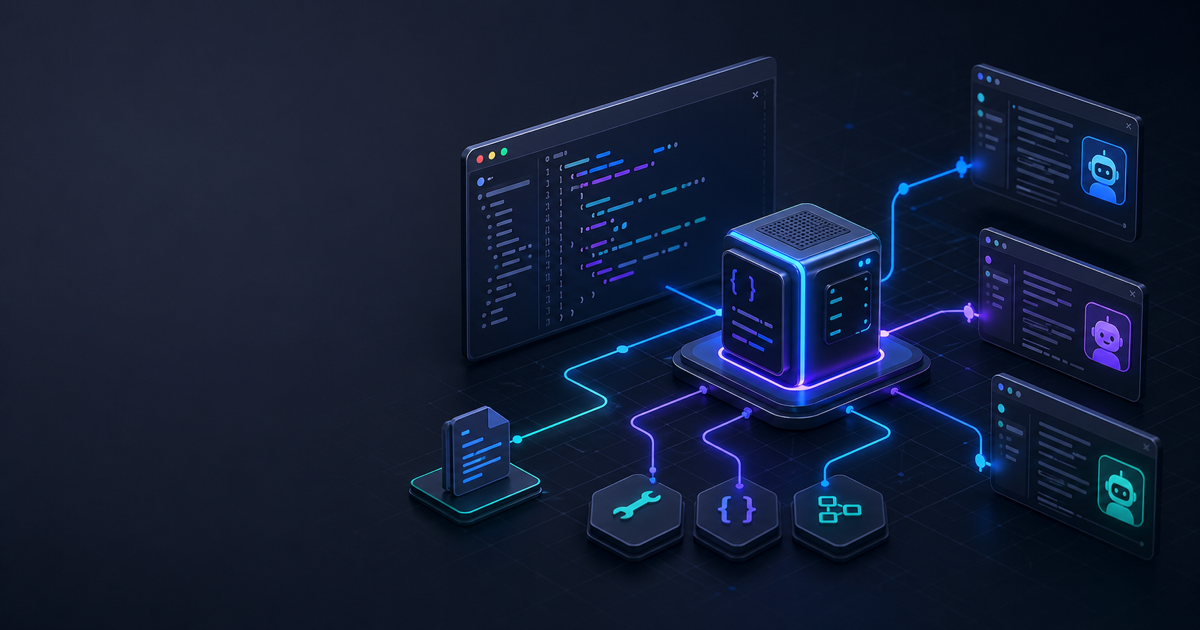
The Model Context Protocol has crossed 97 million monthly SDK downloads and over 10,000 public server implementations. Every major AI platform — Claude, Cursor, Windsurf, OpenAI — now speaks it natively. If you build a TypeScript MCP server today, your tools work everywhere those clients run.
This tutorial walks through building a working MCP server from scratch, covering tools, resources, the stdio transport, and how to wire it into Claude Desktop. Effloow Lab ran this exact build in a local sandbox using @modelcontextprotocol/sdk@1.29.0 and Node.js v25.9.0 — all code here is from that run.
What You'll Build
By the end of this tutorial you'll have:
- A TypeScript MCP server with two custom tools and one resource
- A compiled binary ready for stdio-based clients
- A Claude Desktop configuration that loads your server on launch
- A foundation you can extend with real APIs, databases, or local files
The server exposes a word_count tool and a to_slug tool — deliberately simple examples chosen to demonstrate input validation with Zod, response formatting, and the full JSON-RPC lifecycle without distracting you with business logic.
Prerequisites
- Node.js v18 or later (tutorial uses v25.9.0)
- npm v8 or later
- TypeScript 5.x installed or available via npx
- Claude Desktop (optional, for live testing)
Step 1 — Initialize the Project
Create a fresh directory and scaffold the package.json:
mkdir my-mcp-server && cd my-mcp-server
Write package.json manually rather than using npm init, because you need "type": "module" set from the start:
{
  "name": "my-mcp-server",
  "version": "1.0.0",
  "type": "module",
  "scripts": {
    "build": "tsc",
    "start": "node dist/index.js"
  },
  "dependencies": {
    "@modelcontextprotocol/sdk": "^1.11.0"
  },
  "devDependencies": {
    "typescript": "^5.8.3",
    "@types/node": "^22.0.0"
  }
}
The "type": "module" field is not optional. The MCP SDK is ESM-only — if you leave this out, Node.js treats your compiled output as CommonJS and the imports fail at runtime.
Install dependencies:
npm install
Expected output:
added 95 packages in 438ms
found 0 vulnerabilities
Verify the SDK version installed:
cat node_modules/@modelcontextprotocol/sdk/package.json | node -e "process.stdin.resume();let d='';process.stdin.on('data',c=>d+=c);process.stdin.on('end',()=>console.log(JSON.parse(d).version))"
# 1.29.0
Step 2 — Configure TypeScript
Create tsconfig.json in the project root. The module settings here are precise — "Node16" for both module and moduleResolution is required to correctly resolve .js extension imports that the SDK uses internally:
{
  "compilerOptions": {
    "target": "ES2022",
    "module": "Node16",
    "moduleResolution": "Node16",
    "outDir": "./dist",
    "rootDir": "./src",
    "strict": true,
    "esModuleInterop": true,
    "skipLibCheck": true
  },
  "include": ["src/**/*"]
}
If you use "moduleResolution": "node" (the old default), TypeScript can't resolve the SDK's .js extension imports and compilation fails with Cannot find module errors.
Create the source directory:
mkdir src
Step 3 — Write the MCP Server
Create src/index.ts:
import { McpServer } from "@modelcontextprotocol/sdk/server/mcp.js";
import { StdioServerTransport } from "@modelcontextprotocol/sdk/server/stdio.js";
import { z } from "zod";

// Initialize the server with a name and version.
// These appear in the MCP initialize handshake.
const server = new McpServer({
  name: "my-mcp-server",
  version: "1.0.0",
});

// Tool 1: count words in a text string
server.tool(
  "word_count",
  "Count the number of words in a text string",
  { text: z.string().describe("The text to analyze") },
  async ({ text }) => {
    const count = text.trim().split(/\s+/).filter(Boolean).length;
    return {
      content: [{ type: "text", text: `Word count: ${count}` }],
    };
  }
);

// Tool 2: convert a title to a URL-friendly slug
server.tool(
  "to_slug",
  "Convert a title string into a lowercase URL slug",
  { title: z.string().describe("The title to convert") },
  async ({ title }) => {
    const slug = title
      .toLowerCase()
      .replace(/[^a-z0-9\s-]/g, "")
      .trim()
      .replace(/\s+/g, "-");
    return {
      content: [{ type: "text", text: slug }],
    };
  }
);

// Resource: expose server metadata at a custom URI
server.resource("info", "info://server", async () => ({
  contents: [
    {
      uri: "info://server",
      text: JSON.stringify({
        name: "my-mcp-server",
        version: "1.0.0",
        tools: ["word_count", "to_slug"],
      }),
      mimeType: "application/json",
    },
  ],
}));

// Connect to stdin/stdout and start listening
const transport = new StdioServerTransport();
await server.connect(transport);
console.error("[MCP] Server started on stdio");
A few things to note in this code:
server.tool() signature: name → description → Zod input schema → async handler. The SDK converts your Zod schema to JSON Schema automatically, so clients receive a standard schema for their UI and validation.
console.error() for debug output: MCP uses stdout exclusively for JSON-RPC messages. Anything you log to stdout breaks the protocol. Always use console.error() or write to a log file when debugging.
Top-level await: The await server.connect(transport) call works because Node.js supports top-level await in ESM modules ("type": "module").
Step 4 — Compile and Test
Compile the TypeScript:
npx tsc
Expected: no output, exit code 0. Check that dist/index.js was created:
ls dist/
# index.js
Now test it by sending raw JSON-RPC messages through stdin. Effloow Lab used a Node.js test harness rather than shell pipes because macOS doesn't ship GNU timeout:
// test.mjs
import { spawn } from "child_process";

const proc = spawn("node", ["dist/index.js"], {
  stdio: ["pipe", "pipe", "pipe"],
});

const messages = [
  { jsonrpc: "2.0", id: 1, method: "initialize", params: {
    protocolVersion: "2024-11-05",
    capabilities: {},
    clientInfo: { name: "test", version: "1.0" },
  }},
  { jsonrpc: "2.0", method: "notifications/initialized", params: {} },
  { jsonrpc: "2.0", id: 2, method: "tools/list", params: {} },
  { jsonrpc: "2.0", id: 3, method: "tools/call", params: {
    name: "word_count",
    arguments: { text: "Hello World from MCP" },
  }},
  { jsonrpc: "2.0", id: 4, method: "tools/call", params: {
    name: "to_slug",
    arguments: { title: "Build MCP Server TypeScript 2026" },
  }},
];

let output = "";
proc.stdout.on("data", (d) => { output += d; });
messages.forEach((m) => proc.stdin.write(JSON.stringify(m) + "\n"));

setTimeout(() => {
  proc.kill();
  output.trim().split("\n").forEach((line) => {
    const { id, result } = JSON.parse(line);
    console.log(`[${id}]`, JSON.stringify(result).slice(0, 120));
  });
}, 2000);
Run it:
node test.mjs
Actual output from Effloow Lab's sandbox run:
[1] {"protocolVersion":"2024-11-05","capabilities":{"tools":{"listChanged":true},"resources":{"listChanged":true}},"serverInfo":{"name":"my-mcp-server","version":"1.0.0"}}
[2] {"tools":[{"name":"word_count","description":"Count the number of words in a text string","inputSchema":{"$schema":"http://...
[3] {"content":[{"type":"text","text":"Word count: 4"}]}
[4] {"content":[{"type":"text","text":"build-mcp-server-typescript-2026"}]}
The server negotiates protocol version 2024-11-05, lists both tools with their auto-generated JSON Schemas, and returns correct results from both tool calls.
Step 5 — Connect to Claude Desktop
Claude Desktop loads MCP servers from a JSON config file. On macOS:
~/Library/Application Support/Claude/claude_desktop_config.json
On Windows:
%APPDATA%\Claude\claude_desktop_config.json
Add your server to the mcpServers object. Replace /absolute/path/to with your actual project path:
{
  "mcpServers": {
    "my-mcp-server": {
      "command": "node",
      "args": ["/absolute/path/to/my-mcp-server/dist/index.js"]
    }
  }
}
Fully quit Claude Desktop and relaunch it. The command + args pattern tells Claude Desktop to spawn your server as a subprocess and communicate over stdio — the same lifecycle you just tested manually.
After relaunch, open a new conversation and ask Claude something like "count the words in this sentence". Claude will route the call to your word_count tool and return the result.
If you have multiple servers, add them as separate keys in mcpServers. Each runs as an isolated subprocess.
Step 6 — Add a Prompt Template
Beyond tools and resources, MCP supports prompts — reusable message templates that appear in the client's prompt picker. Add one to src/index.ts:
import { z } from "zod";

// Prompt: generate a writing brief from a topic
server.prompt(
  "writing_brief",
  "Generate a structured writing brief from a topic",
  { topic: z.string().describe("The topic to write about") },
  async ({ topic }) => ({
    messages: [
      {
        role: "user",
        content: {
          type: "text",
          text: `Create a concise writing brief for the following topic: "${topic}". Include: target audience, key points to cover, suggested structure, and tone of voice.`,
        },
      },
    ],
  })
);
Rebuild and restart Claude Desktop to pick up the new prompt. It will appear in Claude's / prompt menu.
Step 7 — Switch to Streamable HTTP (Optional)
The stdio transport is ideal for local tools and Claude Desktop integration. When you want your server accessible over the network — for remote clients, Docker deployments, or shared teams — you switch to the Streamable HTTP transport introduced in MCP protocol version 2025-03-26.
import { McpServer } from "@modelcontextprotocol/sdk/server/mcp.js";
import { StreamableHTTPServerTransport } from "@modelcontextprotocol/sdk/server/streamableHttp.js";
import express from "express";

const app = express();
app.use(express.json());

const server = new McpServer({ name: "my-mcp-server", version: "1.0.0" });
// ... register same tools and resources ...

const transport = new StreamableHTTPServerTransport({
  sessionIdGenerator: () => crypto.randomUUID(),
});

app.post("/mcp", async (req, res) => {
  await transport.handleRequest(req, res, req.body);
});
app.get("/mcp", async (req, res) => {
  await transport.handleRequest(req, res);
});

await server.connect(transport);
app.listen(3000, () => console.log("MCP HTTP server on :3000"));
Streamable HTTP replaces the older HTTP+SSE transport. Clients send JSON-RPC via HTTP POST and receive streaming responses via Server-Sent Events on GET. The SDK's StreamableHTTPServerTransport handles both sides.
Troubleshooting
| Error | Cause | Fix |
|---|---|---|
ERR_REQUIRE_ESM | Missing "type": "module" | Add to package.json |
Cannot find module '...' | moduleResolution: node (classic) | Set to Node16 in tsconfig |
| Claude Desktop shows no tools | Server not restarted after config | Fully quit and relaunch |
| Blank stdout output | console.log used for debug | Use console.error instead |
| Server exits immediately | Missing await on connect() | Ensure top-level await enabled |
Understanding the MCP Architecture
MCP sits between AI clients (Claude, Cursor, Windsurf) and the tools, data, and services they need to use. Without MCP, each client writes its own integration layer for each tool. With MCP, you write the server once and every compliant client can use it.
The protocol uses JSON-RPC 2.0 over a transport layer. In the lifecycle you just ran through, the exchange looks like this:
- Client starts: spawns your server process via
command+args - Handshake: client sends
initialize, server returns supported capabilities - Discovery: client sends
tools/list,resources/list,prompts/list - Use: client sends
tools/callwith tool name and arguments; server runs your handler and returns content - Shutdown: client closes stdin or sends
shutdownrequest
The McpServer class handles all of this automatically. You only write the handlers.
What to Build Next
Now that the scaffolding is working, the useful extension points are:
File system access: register a resource that reads local files by path. MCP clients can then ask Claude to read or summarize files without you copy-pasting content.
Database queries: wrap a database client in a tool. The tool receives query parameters via Zod schema, runs the query, and returns formatted rows. No credentials leave the server process.
External API wrappers: turn any REST API call into a tool. The client describes the intent in natural language; Claude maps it to your tool's input schema.
Authentication: the SDK ships OAuth helpers for servers that need protected access. The 2025-03-26 protocol version includes auth flows built into the handshake.
MCP's TypeScript SDK is genuinely straightforward to start with: five imports, one server instance, one tool registration, and you have a working integration point for every compliant AI client. The two configs that trip people up — "type": "module" in package.json and moduleResolution: Node16 in tsconfig — are easy to miss in older tutorials. Get those right and the rest follows cleanly.
Frequently Asked Questions
Q: Does my MCP server need to run continuously?
No. With stdio transport, Claude Desktop starts your server process when it launches and keeps it running only while the app is open. When Claude Desktop exits, the process is killed. The server doesn't need to be a background daemon.
Q: Can I use libraries other than Zod for schema validation?
Yes. As of SDK 1.11.0, MCP supports Standard Schema — any compatible library works including Valibot, ArkType, and others. Zod is the most common choice in the ecosystem and has the best documentation for MCP patterns.
Q: How do I debug tool calls during development?
Write debug output to console.error() — it goes to stderr, which MCP clients typically pipe separately. You can also run your server manually in a terminal and pipe test JSON-RPC messages via stdin to inspect request/response pairs directly.
Q: What's the difference between a tool and a resource?
Tools are actions the model can take — functions with inputs and outputs. Resources are data the model can read, referenced by a URI scheme (like info://server or file:///path). The practical difference: tools get called when the model wants to do something; resources get read when the model wants context.
Q: Can I ship my MCP server as an npm package?
Yes, and many public servers do. Add a bin entry to your package.json pointing at dist/index.js, and users can run your server via npx directly in their Claude Desktop config.
Need content like this
for your blog?
We run AI-powered technical blogs. Start with a free 3-article pilot.