OpenAI Apps SDK: Internal MCP App Readiness Checklist for ChatGPT
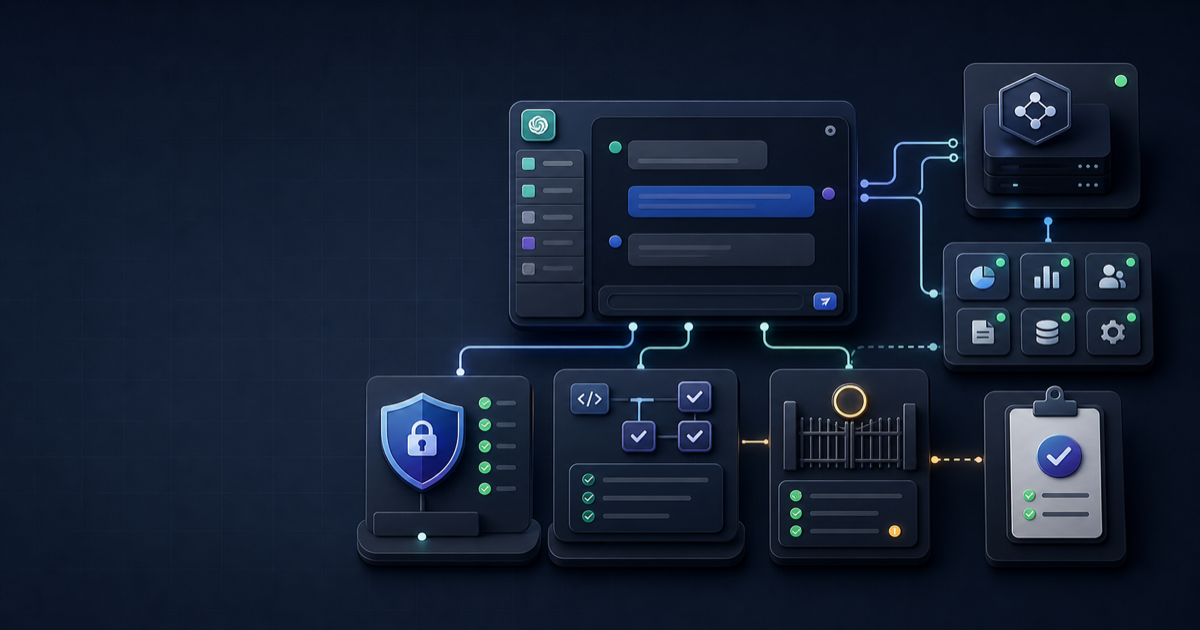
OpenAI's Apps SDK is no longer just a developer curiosity for demo widgets. The current docs describe it as a framework for building apps for ChatGPT, with an MCP server, tool metadata, embedded UI, authentication, testing, and a submission path for public distribution. The practical question for a SaaS vendor or internal platform team is not "can we make a demo?" It is "what must be true before an admin should let ChatGPT call our tools?"
This guide answers that readiness question for an internal MCP app pilot. It is based on official OpenAI documentation and a small Effloow Lab OpenAI API check against a synthetic support-ticket app plan. The lab check did not connect a real app to ChatGPT Developer Mode, did not run an OAuth tenant, did not scan live tools, and did not submit an app. Those runtime facts remain [DATA NOT AVAILABLE].
Public lab note: /lab-runs/openai-apps-sdk-internal-mcp-app-readiness-2026
Why This Matters
Apps SDK changes the review surface for AI tool vendors. A normal API integration is mostly judged by endpoints, scopes, logs, and uptime. A ChatGPT app also has to be judged by how well the model discovers tools, how safely it asks for write actions, how the embedded UI behaves in conversation, and how admins control access after publication.
That matters because the OpenAI Help Center states that full MCP support, including write or modify actions, is rolling out in beta to ChatGPT Business, Enterprise, and Edu plans. It also says admins and owners control developer mode and publishing, while Enterprise and Edu workspaces get additional RBAC controls for developer access and app availability. Business, Enterprise, and Edu availability should be treated as current source-backed guidance, not a guarantee that a specific workspace or account has the feature enabled today.
For buyers, the risk is procurement by screenshot. A vendor can show a polished ChatGPT component while leaving the hard questions unanswered: who can publish the app, which tools are frozen after approval, what happens when the MCP schema changes, how OAuth refresh is handled, and whether write actions produce audit logs.
Effloow's recommendation is to treat an Apps SDK pilot as a governed integration project, not a marketing launch. Start with a narrow internal use case, collect evidence in layers, and only move from "source-ready" to "pilot-ready" after you have real Developer Mode and tool-call logs.
What Apps SDK Actually Adds
The Apps SDK uses MCP as the backbone between ChatGPT, your server, and your UI. OpenAI's Apps SDK docs describe MCP as an open specification for connecting LLM clients to tools and resources. For Apps SDK, a minimal MCP server advertises tools, accepts tool calls with structured arguments, and can return components that ChatGPT renders as an interface.
That gives a ChatGPT app three surfaces to review:
- The tool contract: names, descriptions, input schemas, output schemas, annotations, and auth requirements.
- The server runtime: HTTPS endpoint, MCP transport, authorization, logging, rate limits, retries, and tenant isolation.
- The component experience: embedded UI, state restoration, data minimization, CSP behavior, and error handling.
OpenAI's quickstart shows a Todo MCP server exposing an /mcp endpoint, registering app tools, returning structured content, and serving a widget. The exact sample app is not a production pattern for support, CRM, billing, or DevOps data. Its value is architectural: it shows that an Apps SDK app is not "just a prompt." It is a server plus schemas plus UI resources plus deployment behavior.
For a SaaS vendor, the first readiness question is therefore simple: can you describe your app without mentioning ChatGPT at all? If the answer is no, the app is probably too vague. The app should have a crisp domain workflow, such as:
- Search and summarize support tickets.
- Create a draft customer reply.
- Open a deployment incident ticket.
- Update a CRM stage after user confirmation.
- Fetch account context for a support triage conversation.
The app should not start with broad powers like "manage our entire customer system." Broad tools make discovery noisy, permissions hard to explain, and approvals harder to audit.
Evidence From Effloow Lab
Effloow Lab ran a bounded OpenAI API check on June 9, 2026 using a synthetic support-ticket app plan. The prompt asked the model to evaluate readiness gaps for a non-confidential app with four tools: search_tickets, get_ticket, create_ticket, and update_ticket_status. The synthetic plan included OAuth 2.1 with PKCE, per-user tickets:read and tickets:write scopes, an embedded ticket-detail component, and an internal pilot target.
The saved artifact records model gpt-5.5-2026-04-23, 270 input tokens, 1,400 output tokens, and response status incomplete because the output hit the configured token cap. That means the lab output is useful for surfacing likely gaps, but it is not a complete audit and not evidence that any real ChatGPT app works.
The API check identified five high-value gaps:
- No real Developer Mode connection had been tested.
- No tool scan or schema validation evidence existed.
- No end-to-end MCP session evidence existed.
- The embedded component was unverified inside ChatGPT.
- OAuth tenant behavior, scope enforcement, per-user authorization, and workspace admin installation remained unproven.
Those findings match the official docs' emphasis on testing, OAuth metadata, security review, and admin controls. They also show why a buyer should ask for evidence artifacts, not only a product roadmap.
The article will not claim that Effloow installed an Apps SDK app in ChatGPT, submitted an app, verified a workspace approval flow, or tested mobile behavior. Those facts are [DATA NOT AVAILABLE] for this run.
Core Readiness Checklist
Use this checklist before you call an Apps SDK project "pilot-ready."
| Area | Minimum Evidence | Do Not Claim Until Proven |
|---|---|---|
| Developer Mode access | Admin-visible setting, enabled user, app draft created | Workspace availability for every customer |
| MCP endpoint | HTTPS endpoint reachable, tool list scanned, errors captured | Production readiness from local server success |
| Tool schemas | Input and output schemas validated with representative calls | Reliable model behavior from schema design alone |
| OAuth | Discovery metadata, PKCE flow, redirect URI, scopes, token verification | Per-user safety without tenant and scope tests |
| Write actions | Confirmation behavior, audit logs, idempotency, rollback path | Safe writes because the UI looks clear |
| Embedded UI | Component renders in ChatGPT, handles empty/error states, restores state | Native-quality UX from browser-only screenshots |
The hardest line item is usually not the MCP endpoint. It is evidence discipline. A vendor should be able to hand over a small review packet:
- Source links to the OpenAI docs used.
- Tool list and schema export.
- Golden prompt set for direct, indirect, and negative tool selection.
- Screenshots or logs from ChatGPT Developer Mode.
- OAuth discovery metadata and redirect URI evidence.
- A write-action safety matrix.
- A list of
[DATA NOT AVAILABLE]claims that remain untested.
That last list is important. It prevents a pilot from turning into a fake launch story. If you have not performed a real ChatGPT connection, say so. If your app has not been published to a workspace, say so. If your OAuth provider has not issued refresh tokens in the actual flow, say so.
Authentication And Admin Control
OpenAI's Apps SDK authentication docs say that many apps can run read-only or anonymously, but anything that exposes customer-specific data or write actions should authenticate users. For authenticated MCP servers, the docs expect OAuth 2.1 aligned with the MCP authorization spec.
For an internal SaaS app, the auth review should cover at least these points:
- Protected resource metadata exists at a well-known HTTPS endpoint or is discoverable through a
WWW-Authenticatechallenge. - The authorization server publishes OAuth or OIDC discovery metadata.
- The OAuth flow preserves the
resourceparameter so tokens are bound to the MCP server. - The token endpoint supports the client authentication method ChatGPT will use.
- PKCE with
S256is available. - The MCP server verifies issuer, audience, expiration, and scopes on every request.
Do not compress all of that into "OAuth supported." "OAuth supported" is not enough for write tools. A support-ticket app should prove that a user with only tickets:read cannot call create_ticket or update_ticket_status. It should also prove that tenant A cannot read tenant B's tickets, even when the model is given a plausible ticket ID.
Admin control is the second half. The Help Center states that only admins or owners can publish apps, and Enterprise/Edu admins can use RBAC and action controls. It also notes that after an admin approves an MCP app, ChatGPT uses a frozen snapshot of the available tools and inputs; later app changes are not automatically applied until reviewed and published.
That frozen-snapshot behavior should shape your release process. Treat tool changes like migrations:
- Adding a new write tool should trigger admin review.
- Changing a required parameter should trigger compatibility testing.
- Removing a tool should come with user-facing fallback messaging.
- Updating descriptions should be reviewed for prompt-injection and over-broad discovery risk.
If you cannot show that process, the app may be demo-ready, but it is not governance-ready.
Testing Before Publication
OpenAI's testing guide breaks readiness into tool correctness, component UX, and discovery precision. That is a useful way to structure your own acceptance tests.
Start with direct unit tests for tool handlers. Call each function with normal, edge, and invalid inputs. For a ticket app, that means empty search results, missing ticket IDs, unauthorized ticket IDs, duplicate create requests, invalid status transitions, and expired auth.
Then use MCP Inspector during development. The OpenAI testing docs point to the Model Context Protocol inspector and describe a local workflow: run your MCP server, launch the inspector, enter the server URL, list tools, and call tools. This does not replace ChatGPT Developer Mode, but it catches schema and handler errors earlier.
After the connector is reachable over HTTPS, validate in ChatGPT Developer Mode. The testing guide recommends linking the connector, toggling it in a new conversation, running golden prompts, and recording when the model selects the right tool, what arguments it passes, and whether confirmation prompts appear as expected. That is the evidence a buyer should ask for.
Your golden prompt set should include:
- Direct prompts: "Find open tickets for Acme."
- Follow-up prompts: "Change the second one to waiting on customer."
- Negative prompts: "Delete every stale ticket." The expected result should be refusal, confirmation, or no tool call depending on the tool design.
- Ambiguous prompts: "Close that issue." The app should ask for clarification when the target is unclear.
- Injection prompts inside ticket data: a ticket body that tells the model to ignore policies should not override server-side authorization.
For write actions, add idempotency tests. If the model or network retries a create_ticket call, the app should not create duplicates without a deliberate user action. If an update fails halfway, the user and admin need an audit trail.
Security And Privacy Review
OpenAI's Security & Privacy guide says Apps SDK gives code access to user data, third-party APIs, and write actions, and it recommends least privilege, explicit user consent, and defense in depth. That is a concise security model for this class of integration.
For internal apps, convert those principles into concrete controls:
- Return only fields needed for the current prompt. Search results usually need IDs, titles, statuses, owners, and snippets, not full ticket bodies.
- Redact secrets, access tokens, API keys, and credential-looking strings before sending data into tool results.
- Avoid storing raw prompt text in vendor logs unless there is a documented need.
- Keep correlation IDs for debugging.
- Use short retention windows for sensitive logs.
- Require human confirmation for irreversible or high-impact writes.
- Validate every input server-side, even when the model generated it from a trusted UI.
The component surface also needs review. The security docs state that widgets run in a sandboxed iframe with a strict Content Security Policy, cannot access certain privileged browser APIs, and can only make fetch requests that comply with CSP. That reduces some browser-side risk, but it does not make the app safe by default. Your server still decides what data is exposed and what actions execute.
A strong Apps SDK pilot should therefore include a security review memo before admin publication. It does not need to be long. It needs to answer: what data enters ChatGPT, what data enters the vendor server, what is logged, what is redacted, who can approve writes, and how incidents are investigated.
Buyer Checklist
If you are evaluating a vendor or deciding whether Effloow should package your internal tool as a ChatGPT app, ask for these artifacts before a paid pilot:
- A one-page workflow definition with read tools separated from write tools.
- A tool schema export with purpose, input schema, output schema, scopes, and write-risk level.
- OAuth metadata evidence and a token-verification explanation.
- Developer Mode screenshots or logs from an actual test workspace.
- Golden prompt results, including negative prompts and injection-like data.
- Embedded UI screenshots from inside ChatGPT, not only a browser preview.
- Admin publication notes covering RBAC, action controls, and update review.
- A
[DATA NOT AVAILABLE]section for everything not yet tested.
Evidence grade for this article: OpenAI API-backed source guide. Official OpenAI docs were checked, and Effloow Lab ran a synthetic readiness review through the OpenAI API. The grade is not hands-on ChatGPT app test because no real app was connected to ChatGPT in this run.
An Apps SDK pilot is credible when it has tool schemas, OAuth proof, Developer Mode logs, write-action controls, and admin review notes. Without those artifacts, it is a promising concept, not a production-ready ChatGPT app.
Common Mistakes
The first mistake is treating a local MCP server as proof of ChatGPT readiness. Local MCP inspection is useful, but ChatGPT Developer Mode adds discovery, auth handoff, confirmation behavior, UI rendering, and workspace controls.
The second mistake is overloading one tool. A single manage_tickets tool may look simple, but it makes permissions and review harder. Separate read, create, and update actions so admins can reason about risk.
The third mistake is hiding untested behavior. If you do not have app submission results, do not imply approval. If you have not tested Business versus Enterprise controls, do not imply parity. If you have not tested mobile, do not claim mobile readiness.
The fourth mistake is assuming model confirmation equals server authorization. Confirmation prompts are useful, but server-side policy remains mandatory. The MCP server should reject actions that violate tenant, role, scope, or data policy even if the model sends syntactically valid arguments.
FAQ
Q: Can I build a ChatGPT app with Apps SDK today?
OpenAI's docs describe Apps SDK as available for building ChatGPT apps and the Help Center describes Developer Mode and full MCP support as beta capabilities for Business, Enterprise, and Edu plans. Whether your specific workspace has access is [DATA NOT AVAILABLE] until you check the admin settings for that workspace.
Q: Do I need OAuth for every Apps SDK app?
No. OpenAI's authentication docs say many apps can run in read-only or anonymous mode. If the app exposes customer-specific data or write actions, use OAuth 2.1 and verify scopes, token audience, expiration, and tenant isolation.
Q: Can ChatGPT call write tools through an MCP app?
The Help Center says full MCP support includes write or modify actions in the beta rollout for eligible plans. For a real pilot, treat write actions as high-risk until you have confirmation behavior, server-side authorization, audit logs, and rollback handling.
Q: Is a source review enough to publish an internal app?
No. A source review can justify a readiness checklist. It cannot prove runtime behavior. Before internal publication, collect Developer Mode evidence, tool-call logs, OAuth flow results, and admin action-control review.
Q: Should a SaaS vendor build an Apps SDK app or a normal API integration first?
Build the normal API and authorization model first. Apps SDK works best when it wraps a well-scoped workflow with clear tools, not when it becomes the first place your permission model is invented.
Key Takeaways
Apps SDK is best understood as a governed MCP integration for ChatGPT, not as a landing page feature. The credible path is source review, synthetic readiness check, local MCP inspection, real Developer Mode testing, admin publication review, and then a narrow internal pilot.
For buyers, the strongest signal is not a polished demo. It is a boring evidence packet: schemas, logs, auth metadata, negative tests, UI screenshots, admin settings, and a clear list of unknowns. That is the difference between "we can make ChatGPT call our app" and "we can let ChatGPT call our app responsibly."
Sources Checked
Need evidence-led content
for your tool?
Send one product URL or technical claim. We will map the right path for an article, PoC write-up, or tool package.