Fine-Tune LLMs with LoRA and QLoRA: 2026 Guide
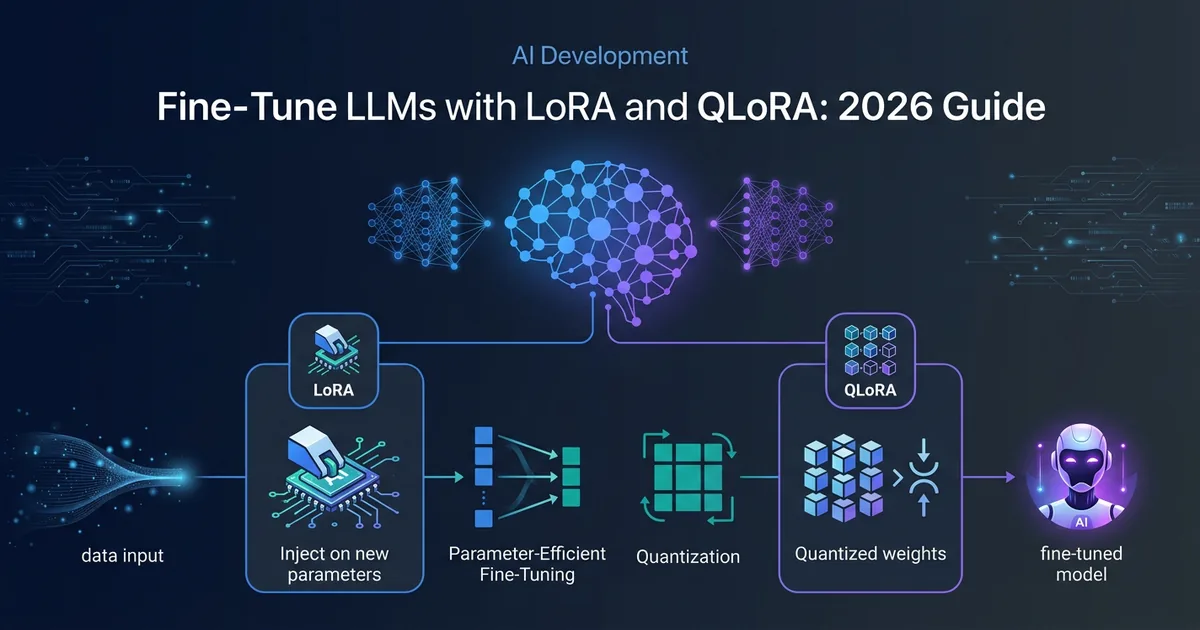
Full fine-tuning a large language model still requires serious hardware, evaluation discipline, and a clean dataset. LoRA and QLoRA change the adoption question: instead of asking whether a team can retrain every model weight, you can ask whether a narrow adapter is enough to teach a base model a stable format, tone, or domain workflow.
That shift happened because of two techniques: LoRA (Low-Rank Adaptation) and QLoRA (Quantized LoRA). LoRA freezes the base model and trains small low-rank adapter matrices. QLoRA keeps that adapter idea but backpropagates through a frozen 4-bit quantized model. The practical result is not "fine-tuning is always easy." It is that many narrow specialization jobs can be tested before a team commits to expensive full retraining.
This guide explains how both techniques work, what the primary sources do and do not prove, how to prepare a dataset, which toolchain to reach for, and how to know whether the adapter actually improved your workflow.
Why Fine-Tune at All?
Prompt engineering and RAG solve many problems — retrieval handles factual grounding, and system prompts can shape behavior. But they hit walls:
- Style consistency: You want every output to sound like your brand's voice, not a generic assistant.
- Format adherence: Legal documents, structured JSON, domain-specific schemas — prompts alone are brittle.
- Latency and cost control: A smaller adapted model can be cheaper to serve than repeatedly prompting a much larger model, but the saving only exists after you measure your own workload, hosting choice, and evaluation pass rate. Check the API-side lever first, because it moved recently and it moved in both directions: GPT-5.6 replaced the 24-hour prompt cache with a 30-minute window and started billing cache writes above plain input. Repeat-prompting a large model stays cheap if your calls cluster inside half an hour, and gets about 25% more expensive if they do not — which is exactly the spiky, low-frequency workload where a fine-tune starts to look attractive on cost alone.
- Offline capability: A fine-tuned local model works without API calls, which matters for compliance and data privacy.
When your task has clear input/output structure and you can produce hundreds or thousands of high-quality examples, fine-tuning becomes a reasonable candidate.
When to Use / When to Skip
Use LoRA or QLoRA when the output shape is stable, the behavior must be repeated many times, and you can build a held-out evaluation set before training. Strong candidates include support labelers, structured extraction, SQL generation for a known schema, style transfer, internal taxonomy mapping, and repetitive domain writing where correctness can be checked.
Skip fine-tuning and reach for prompting, RAG, or a normal application rule first if any of these hold:
- You need fresh or factual knowledge. Fine-tuning teaches behavior and format, not facts. For up-to-date or document-grounded answers, RAG is the correct tool — a fine-tuned model will still hallucinate on data it never saw.
- You can't produce a few hundred clean examples. Below roughly 500 consistent input/output pairs, a fine-tune mostly learns your labeling noise. A good prompt beats a thin dataset.
- The base model already does the task. If a well-written system prompt on an off-the-shelf model gets you there, fine-tuning adds cost and maintenance for no gain.
- Your requirements change weekly. Each change means re-training and re-evaluating. Prompts iterate in seconds; adapters do not.
The decision rule is simple: fine-tune behavior, retrieve knowledge, and hard-code deterministic business rules.
How LoRA Works
Full fine-tuning updates all of a model's weights — billions of floating point numbers — which requires storing gradients and optimizer states for every single parameter. At 16-bit precision, a 7B model alone needs roughly 14 GB of VRAM just to hold the weights, and training multiplies that by 3–4x.
LoRA, introduced by Hu et al. (2021, arXiv 2106.09685), sidesteps this by decomposing weight updates into low-rank matrices. Instead of updating the full weight matrix W (which might be 4096×4096 = 16.7 million parameters), LoRA learns two small matrices A and B where:
ΔW = B × A
Where A has shape (r × d_in) and B has shape (d_out × r), with r being the rank — typically 8 to 64. The original weights W₀ are frozen. During inference, the adapted weight is simply:
W = W₀ + (α/r) × B × A
The scaling factor α/r controls how strongly the adapter influences the output. The original LoRA paper reports that LoRA can reduce trainable parameters by up to 10,000x and GPU memory by up to 3x compared with GPT-3 175B full fine-tuning while matching or exceeding full fine-tuning quality on the tasks the authors tested. Treat that as a paper result, not a guarantee for every modern model or domain.
QLoRA: Taking It Further with Quantization
QLoRA, from Dettmers et al. (2023, arXiv 2305.14314), extends LoRA by quantizing the frozen base model weights to 4-bit precision using a format called NF4 (Normal Float 4-bit). NF4 is information-theoretically optimal for normally distributed weights, which is what most neural network layers produce.
The practical result is that QLoRA can move large-model experiments into smaller memory envelopes. The QLoRA paper reports finetuning a 65B model on a single 48GB GPU while preserving full 16-bit finetuning task performance in its experiments.
The trade-off is not a universal percentage. Quantization, dataset quality, sequence length, target modules, and evaluation method can all change the result. Use QLoRA when memory is the binding constraint; use 16-bit LoRA when you can afford the VRAM and want to remove quantization as a possible source of error.
Hardware Requirements in 2026
The table below is a planning matrix, not a benchmark. The source-derived facts are the LoRA paper's adapter-memory claim, the QLoRA paper's 65B-on-48GB result, and current tool documentation for PEFT, Unsloth, Axolotl, LlamaFactory, and TRL. Actual VRAM depends on sequence length, batch size, optimizer, gradient checkpointing, target modules, attention implementation, and framework version.
| Decision | Use this path | Source support | What still needs local proof |
|---|---|---|---|
| You need maximum control and have enough VRAM | 16-bit LoRA | LoRA freezes base weights and trains low-rank matrices, reducing trainable parameters versus full fine-tuning | Whether the adapter beats your prompt baseline on held-out examples |
| You are memory constrained | QLoRA | QLoRA uses frozen 4-bit quantized weights, NF4, double quantization, and paged optimizers | Whether quantization changes the exact outputs your workflow needs |
| You want framework defaults for broad transformer models | PEFT with target_modules="all-linear" | Hugging Face PEFT documents all-linear as the way to target all linear/Conv1D modules | Whether all-linear is necessary for your task or smaller targets are enough |
| You want a single-GPU speed-oriented path | Unsloth | Unsloth documents LoRA/QLoRA configuration guidance and public memory/speed claims | Your wall-clock time, peak VRAM, and quality on your GPU |
| You want repeatable YAML training | Axolotl | Axolotl documents YAML-driven fine-tuning and LoRA/QLoRA support | Whether its examples match your model, dataset format, and deployment target |
For capacity planning, start with your model size, sequence length, batch size, and optimizer state, then run a one-epoch smoke train on a small dataset before renting larger hardware. Do not trust a generic VRAM table as a purchase decision.
For a quick estimate at any model size, precision, or mode (inference, LoRA, QLoRA, or full fine-tune), try our free LLM VRAM calculator — it shows the math and suggests a GPU that fits.
If you do not own the hardware, check current provider pricing directly before budgeting. GPU marketplace pricing changes too often for this article to carry a stable dollar estimate. If a dedicated GPU server turns out cheaper than hourly rental for your usage pattern, our Hetzner GPU server guide maps tiers to workloads, including which tier absorbs adapter training on 8B-14B models and where you need the 96 GB card before fine-tuning at 70B.
Dataset Preparation
Your dataset is the most important variable. A fine-tune is only as good as its training examples.
Format
A common Supervised Fine-Tuning (SFT) format in current tooling is JSONL with a messages array following a chat-style schema:
{"messages": [
  {"role": "system", "content": "You are a precise SQL query generator."},
  {"role": "user", "content": "Get all users who signed up last month."},
  {"role": "assistant", "content": "SELECT * FROM users WHERE created_at >= DATE_TRUNC('month', NOW() - INTERVAL '1 month') AND created_at < DATE_TRUNC('month', NOW());"}
]}
This format is supported by common Axolotl, Unsloth, and TRL-style workflows, though exact dataset settings vary by framework and model. Always apply the target model's chat template; using the wrong special tokens can degrade results.
Loss Masking
Only the assistant's response should contribute to the training loss. The prompt and system message should be masked so the model learns to generate outputs, not to predict its own inputs. All major frameworks apply this by default when you use the messages format.
Dataset Size and Quality
- 500–1,000 examples: Style and format adaptation. Changing tone, output structure, or language register.
- 1,000–5,000 examples: Domain specialization. Teaching the model terminology, processes, and patterns from a specific field.
- 5,000–50,000 examples: Capability addition. Teaching genuinely new knowledge or complex reasoning patterns.
Quality beats quantity. A smaller set of consistent, reviewed examples is safer than a larger scraped set with mixed labels and hidden duplicates. Use a validation split and monitor validation loss; if it diverges from training loss early, investigate overfitting before adding more epochs.
Worked Example: Support Ticket Labeler
Suppose a SaaS team wants a local model to convert support tickets into a strict triage object. The team should not start by training on private customer tickets. Start with synthetic or anonymized examples, keep a validation set out of training, and decide the output contract before choosing LoRA or QLoRA.
Training input example
{"messages":[
  {"role":"system","content":"Return only JSON with keys priority, category, owner, and rationale."},
  {"role":"user","content":"Customer says SSO login fails for all users after yesterday's IdP certificate rotation. Finance team cannot access invoices."},
  {"role":"assistant","content":"{\"priority\":\"high\",\"category\":\"authentication\",\"owner\":\"platform\",\"rationale\":\"SSO outage affects multiple users and blocks billing access after an IdP certificate change.\"}"}
]}
Expected evaluation output
{
  "exact_json_schema_pass": true,
  "priority_match": true,
  "category_match": true,
  "owner_match": true,
  "rationale_contains_evidence": true
}
That is the original-value asset for this guide: a concrete input/output contract plus the checks that decide whether the fine-tune helped. If the base model already returns valid JSON with the right labels on 95 out of 100 held-out examples, do not fine-tune. If the base model repeatedly drifts from the schema, confuses billing and authentication, or needs a long prompt to behave, then a LoRA or QLoRA adapter is worth a controlled test.
The 2026 Fine-Tuning Toolchain
Four frameworks dominate the space. They're not interchangeable — each has a distinct sweet spot.
Unsloth — Fastest on Consumer Hardware
Unsloth is the first tool to check if you are running on a single GPU and speed matters. Its documentation and project pages publish memory and throughput improvements for LoRA and QLoRA workflows, but Effloow did not rerun those benchmarks for this article. Treat the claim as vendor/project documentation until you measure your own model, sequence length, and GPU.
from unsloth import FastLanguageModel
import torch

model, tokenizer = FastLanguageModel.from_pretrained(
    model_name="unsloth/Meta-Llama-3.1-8B-Instruct",
    max_seq_length=2048,
    dtype=None,          # auto-detect
    load_in_4bit=True,   # QLoRA mode
)

model = FastLanguageModel.get_peft_model(
    model,
    r=16,
    target_modules=["q_proj", "k_proj", "v_proj", "o_proj",
                    "gate_proj", "up_proj", "down_proj"],
    lora_alpha=16,
    lora_dropout=0,
    bias="none",
    use_gradient_checkpointing="unsloth",
    random_state=42,
)
Axolotl — YAML-First Pipeline
Axolotl is the choice when you want a repeatable pipeline configured through YAML. Its documentation covers LoRA and QLoRA workflows, preprocessing, merging LoRA weights, and common training tasks. Use it when configuration review and reproducibility matter more than a visual UI.
# axolotl_config.yaml
base_model: meta-llama/Llama-3.1-8B-Instruct
model_type: LlamaForCausalLM
tokenizer_type: AutoTokenizer

load_in_4bit: true
adapter: lora
lora_r: 16
lora_alpha: 16
lora_dropout: 0.05
lora_target_modules:
  - q_proj
  - v_proj

datasets:
  - path: data/train.jsonl
    type: chat_template

val_set_size: 0.1
sequence_len: 2048
micro_batch_size: 2
num_epochs: 3
learning_rate: 2e-4
output_dir: ./outputs/llama-3-1-8b-lora
axolotl train axolotl_config.yaml
LlamaFactory — GUI + Code
LlamaFactory includes a web UI and CLI for training and fine-tuning many model families. Its repository and documentation describe support for full tuning, freeze-tuning, LoRA, and QLoRA variants. It is the best entry point when your team needs a lower-code training surface before graduating to a scripted pipeline.
Hugging Face TRL — Maximum Flexibility
TRL is the right choice when your training objective goes beyond standard SFT. GRPO, DPO, PPO, RLOO, KTO — if you're doing RLHF or preference optimization, TRL has the most correct implementations. It's not the fastest or the simplest, but it's the most flexible and best-maintained for advanced objectives.
LoRA Hyperparameters: What Actually Matters
Most guides list every hyperparameter. In practice, three settings drive most of the variation:
Rank (r)
- r=8: Simple style or format tasks. Minimum capacity.
- r=16: The recommended default. Works for instruction fine-tuning, style adaptation, and most domain specialization tasks.
- r=32–64: Complex domain shift, multi-task training, or when you have 10,000+ examples. Higher rank = more capacity = higher VRAM.
Don't tune rank obsessively. Start with r=16, get a working baseline, then increase only if validation loss stagnates.
Alpha (α)
Set alpha equal to rank (α=r) or double it (α=2r). The ratio α/r is the effective scaling factor for the adapter output. Microsoft's own LoRA examples use α=2r. The 2026 consensus from Unsloth's documentation: start with α=r=16, which applies a 1.0 scaling factor — straightforward and stable.
Target Modules
Use target_modules="all-linear" as a strong starting point in 2026 when the framework supports it. Hugging Face PEFT documents this option as the way to apply LoRA to all linear/Conv1D modules. If VRAM is tight or you need a smaller adapter, compare it against attention-only targets on your validation set instead of assuming the wider adapter is always worth it.
DoRA
DoRA (Weight-Decomposed LoRA) decomposes updates into magnitude and direction components. It is available through modern PEFT/Unsloth-style workflows, but it is another variable to evaluate rather than a default to trust blindly. Turn it on only if your framework, model family, and deployment path support it cleanly.
Common Mistakes and How to Avoid Them
Wrong chat template: Using Llama-3 tokens to fine-tune a Mistral model silently produces a broken adapter. Always verify the tokenizer's apply_chat_template output matches the model's expected format before training.
Forgetting loss masking: If your framework applies loss to the full input (prompt + response), the model learns to predict its own questions. Always verify that only assistant turns contribute to training loss.
Overfitting on small datasets: On fewer than 500 examples, use 1–2 epochs maximum. Monitor validation loss. The moment validation loss starts rising while training loss continues falling, stop training.
Catastrophic forgetting: Aggressive fine-tuning can degrade the model's general capabilities. Set an acceptable general-eval delta before training; if the fine-tuned model misses that threshold, reduce learning rate or training epochs, or try a smaller rank.
Not setting a random seed: Reproducibility matters. Always set random_state=42 (or any fixed seed) so you can reproduce training runs.
Failure and Limitation Table
| Failure mode | What it looks like | Repair before publishing a model |
|---|---|---|
| Schema drift | The model returns prose around a JSON object or changes key names | Add more negative examples, enforce JSON validation in the app, and compare against a prompt-only baseline |
| Memorized labels | Validation loss looks good but new tickets are mislabeled | Rebuild the split so near-duplicates do not cross train and validation sets |
| Factual hallucination | The model invents policy, pricing, or customer state | Move factual context to RAG and keep fine-tuning for format and behavior |
| Catastrophic forgetting | General tasks degrade after a narrow fine-tune | Lower epochs or learning rate, reduce adapter capacity, and compare general evals before/after |
| Hidden cost creep | Training succeeds but serving, monitoring, and retraining cost more than the hosted model path | Track total cost per accepted output, not training cost alone |
Evaluating Your Fine-Tuned Model
A fine-tune without evaluation is guesswork. Three complementary approaches:
Task-Specific Metrics
Define a held-out test set of 100–200 examples. Run both the base model and your fine-tuned model on the same inputs. Measure the delta on your target metric — exact match, ROUGE-L for text generation, F1 for classification. The delta is what matters, not the absolute score.
Perplexity
Perplexity measures how surprised your model is by a test corpus. Lower perplexity on your domain data after fine-tuning confirms the model has internalized domain patterns. Importantly, check perplexity on a general corpus too — a rising score there indicates catastrophic forgetting.
General Capability (MMLU)
Run MMLU or a smaller domain-adjacent general eval on both base and fine-tuned model using lm-evaluation-harness (EleutherAI). Decide your acceptable regression threshold before training. A healthy fine-tune should improve the target task without making broad capabilities materially worse.
# Install evaluation harness
pip install lm-eval

# Run MMLU on your fine-tuned model
lm_eval --model hf \
    --model_args pretrained=./outputs/my-fine-tuned-model \
    --tasks mmlu \
    --device cuda:0 \
    --batch_size 4
LLM-as-Judge
For open-ended generation tasks, automated metrics miss quality. Have GPT-4 or Claude evaluate outputs on a 1–5 scale for helpfulness, accuracy, and style adherence. This is the most expensive evaluation method but often the most predictive of real-world user satisfaction.
The Full Fine-Tuning Workflow
To summarize the practical sequence for a 7B QLoRA fine-tune:
- Prepare dataset: JSONL ChatML examples with a held-out validation split
- Choose base model: pick a model family that already performs reasonably on the task before adaptation
- Configure training: r=16, α=16,
target_modules="all-linear", DoRA enabled, 2–3 epochs, lr=2e-4 - Train with Unsloth or another selected framework: record wall-clock time, peak VRAM, framework version, GPU, and failure cases
- Evaluate: Task metrics on held-out set + MMLU delta check
- Merge and export:
model.save_pretrained_merged()to save full weights, or keep adapter-only for lightweight deployment - Serve: GGUF quantization for Ollama or llama.cpp, or vLLM for high-throughput API serving
For production deployments, see our guides on self-hosting LLMs vs cloud APIs and running local models with Ollama.
Step 5 is where most adapter projects quietly fail: the evaluation is run once, informally, and never written down. If you need that step turned into a citable evidence package — held-out task set fixed in advance, pass criteria defined before the run, exact model IDs, costs, and failures published — that is what the Proof Studio method produces.
FAQ
Q: Should I use LoRA or QLoRA?
If you have enough VRAM, start with 16-bit LoRA because it removes quantization as a possible source of errors. If memory is the binding constraint, use QLoRA. The right answer is the method that improves your held-out task metric without breaking schema, safety, or deployment constraints.
Q: How many examples do I need?
There is no universal number. For style and format adaptation, start with a few hundred clean examples and measure against a prompt-only baseline. For domain specialization, expect to need more examples and stricter validation. Stop adding data when held-out quality stops improving.
Q: Can I fine-tune on a Mac?
Sometimes, depending on model size, framework support, memory, and tolerance for slower local experiments. Do not buy hardware from this article alone; run the smallest representative smoke test first and use the result to decide whether local training or rented GPU time is more practical.
Q: Will fine-tuning hurt my model's general capabilities?
It can, if you overtrain or use too high a learning rate. Monitor MMLU scores before and after. A well-executed fine-tune maintains general capability while improving domain performance. The safest parameters: 1–3 epochs, lr=1e-4 to 2e-4, rank 16, gradient checkpointing enabled.
Q: How do I deploy my fine-tuned model?
Two paths: (1) Merge the adapter into the base model weights and export to GGUF format for Ollama/llama.cpp deployment — ideal for single-user or small-team use. (2) Keep the adapter separate and load it on top of the quantized base at inference time via vLLM or Hugging Face TGI — better for serving multiple users or multiple adapters on the same base model. If you take the second path, our comparison of vLLM, SGLang, and TGI walks through the throughput and latency tradeoffs that decide which engine fits your serving load.
Key Takeaways
- LoRA reduces trainable parameters by freezing the base model and learning low-rank update matrices; the original paper reports up to 10,000x fewer trainable parameters on its GPT-3 setup.
- QLoRA adds frozen 4-bit quantized base weights, NF4, double quantization, and paged optimizers; the QLoRA paper reports 65B finetuning on a single 48GB GPU.
- Hardware minimums are workload-specific: sequence length, batch size, optimizer, target modules, and framework version can change the result.
- Default hyperparameters are starting points: r=16, α=16, and all-linear targets are useful defaults, but validation metrics decide.
- Dataset quality beats quantity: clean labels, duplicate control, and held-out validation matter more than raw row count.
- Toolchain in 2026: Unsloth for speed on consumer hardware, Axolotl for YAML-driven pipelines, TRL for advanced training objectives.
- Always evaluate: Task-specific metrics + MMLU delta. A fine-tune that doesn't improve your target metric failed, no matter how low the training loss.
LoRA and QLoRA make narrow model specialization testable for teams that could not justify full fine-tuning. They do not remove the need for a clean dataset, a prompt-only baseline, held-out evaluation, and measured deployment cost. If your task has stable inputs and outputs, run a small adapter experiment; if the task needs fresh facts or changes every week, use RAG or prompting first.
What Effloow Added
The two papers behind this guide — LoRA and QLoRA — explain the math, and the framework docs explain the APIs. Neither tells a developer how to choose between them or where the real adoption pitfalls are. Effloow added a decision layer:
- A source-derived method matrix that separates paper-backed facts from workload-specific claims that still need local proof.
- A framework selection rule (Unsloth for single-GPU speed, Axolotl for YAML pipelines, TRL for RLHF/preference work) tied to what each tool is actually best at.
- A worked support-ticket input/output example plus a failure table, so the article tells a team what to measure before they trust an adapter.
- An explicit skip-list that sends you to RAG or prompting when fine-tuning is the wrong tool.
Primary sources checked:
- LoRA paper: https://arxiv.org/abs/2106.09685
- QLoRA paper: https://arxiv.org/abs/2305.14314
- Hugging Face PEFT LoRA documentation: https://huggingface.co/docs/peft/en/developer_guides/lora
- Hugging Face TRL SFT documentation: https://huggingface.co/docs/trl/en/sft_trainer
- Unsloth LoRA hyperparameter documentation: https://unsloth.ai/docs/get-started/fine-tuning-llms-guide/lora-hyperparameters-guide
- Axolotl documentation: https://docs.axolotl.ai/
- LlamaFactory repository/documentation: https://github.com/hiyouga/LLaMA-Factory
Current facts were checked on 2026-06-17; volatile pricing and runtime claims were intentionally removed rather than guessed.
Prefer a deep-dive walkthrough? Watch the full video on YouTube.
Get the next one
in your inbox.
One short weekly dispatch with new guides, tools, and what we tested. No spam, unsubscribe anytime.
Get weekly AI tool reviews & automation tips
Join our newsletter. No spam, unsubscribe anytime.
More in Articles
MiMo-V2.5-Pro: MIT-licensed 1T-param MoE coding model. Which benchmark scores are independently listed, real OpenRouter cost math, and self-hosting limits.
DeepSeek V4-Pro (1.6T MoE, 1M context) and V4-Flash released April 2026. Migrate before the July 24 deadline. Full API guide, benchmarks, pricing.
GLM-5 is an MIT-licensed frontier model with top-5 benchmark scores. Learn how to self-host it and compare it with GPT-5 and Claude.
Build a RAG app with Python and LlamaIndex 0.14: document loading, chunking, vector indexing, hybrid search, memory, and deployment.