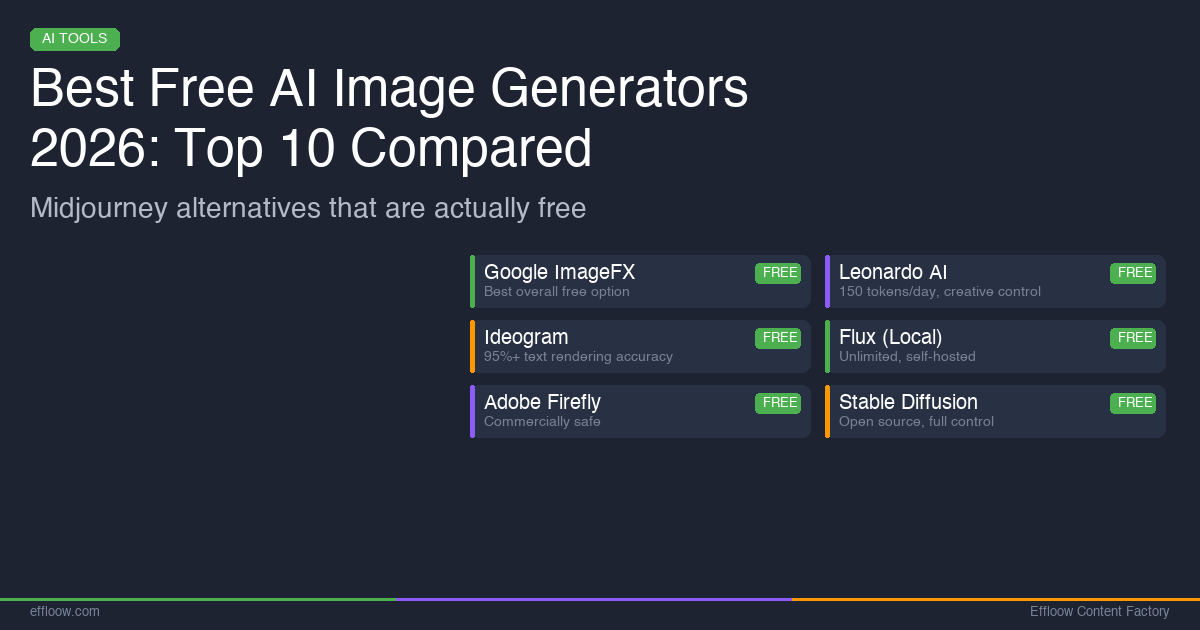
Best Free AI Image Generators 2026: 10 Midjourney Alternatives That Actually Work
Compare the 10 best free AI image generators in 2026. Tested reviews of ImageFX, Leonardo AI, Ideogram, Flux, Firefly, and more.
Best Free AI Image Generators 2026: 10 Midjourney Alternatives That Actually Work
Midjourney produces stunning images, but it costs $10/month minimum and has no free tier. If you want to generate AI images without paying, 2026 has more viable options than ever — several of which rival Midjourney's output quality.
This guide covers 10 free AI image generators that we tested hands-on. We evaluated each tool on image quality, daily generation limits, text rendering, commercial use rights, and ease of use. Whether you need blog illustrations, social media graphics, or design prototypes, there is a free tool here that fits.
Quick Comparison: Free AI Image Generators at a Glance
| Tool | Free Limit | Best For | Text in Images | Commercial Use |
|---|---|---|---|---|
| Google ImageFX | Generous daily limit | Photorealism | Good | Yes (with SynthID watermark) |
| Leonardo AI | 150 tokens/day (~20-30 images) | Versatility & control | Fair | Yes (free tier) |
| Ideogram | 10 slow credits/week (~40 images) | Text rendering | Excellent (95%+ accuracy) | No (free tier) |
| Flux (local) | Unlimited (self-hosted) | Power users with GPUs | Good | Yes (Apache 2.0 for klein 4B) |
| Adobe Firefly | 25 credits/month | Commercial safety | Fair | Yes (trained on licensed content) |
| Microsoft Designer | Limited daily generations | Casual users | Good (DALL-E 3) | Yes (personal use) |
| Playground AI | 50 images/day | Beginners | Fair | Yes |
| Canva AI | Limited uses/month | Design integration | Fair | Yes (within Canva designs) |
| Stable Diffusion | Unlimited (self-hosted) | Full customization | Varies by model | Yes (open source) |
| Craiyon | Unlimited (with ads) | Quick experiments | Poor | Yes |
1. Google ImageFX — Best Overall Free Option
Google ImageFX, powered by Imagen 4, is the strongest free AI image generator available in 2026. The image quality rivals paid tools, and Google offers it completely free through their AI Test Kitchen platform.
What Makes It Stand Out
Imagen 4 represents Google's most advanced text-to-image model. The photorealism is exceptional — skin textures, lighting, and environmental details are consistently natural-looking. Google has invested heavily in prompt adherence, so what you describe is typically what you get.
All generated images are embedded with DeepMind's SynthID, a digital watermark indicating AI origin. This is invisible to the human eye but detectable by automated tools.
Free Tier Details
- Generous daily generation limit (no credit card required)
- Access through labs.google/fx or through Gemini
- Available to users who join Google AI Test Kitchen
- Currently available in the US with expanding availability
Best Use Cases
- Blog hero images and article illustrations
- Social media content
- Product concept mockups
- Photorealistic portraits and landscapes
Limitations
- Geographic availability is still limited
- No fine-tuning or style customization controls
- SynthID watermark embedded (not visually intrusive but present)
If you need high-quality images for free and are in a supported region, ImageFX should be your first stop.
2. Leonardo AI — Best for Creative Control
Leonardo AI offers one of the most feature-rich free tiers among AI image generators. With 150 daily tokens that reset every 24 hours, you can generate roughly 20-30 images per day depending on settings.
What Makes It Stand Out
Leonardo's strength is flexibility. The platform offers multiple generation models (including Phoenix 2.0), a Canvas Editor for inpainting and outpainting, and granular control over generation parameters. You can use image-to-image prompting, adjust guidance scale, and choose from different aspect ratios.
Commercial use is allowed even on the free tier — a rare feature. However, images generated by free users are visible to the community by default.
Free Tier Details
- 150 tokens/day (~4,500/month)
- Each image costs 5-8 tokens depending on resolution and model
- Access to Phoenix 2.0 and standard models
- Canvas Editor available
- Commercial use permitted
Best Use Cases
- Creative projects requiring multiple iterations
- Game art and concept design
- Social media content with specific style requirements
- Image editing and manipulation with AI assistance
Limitations
- Free generations are public (visible to community)
- Advanced models cost more tokens per generation
- 150 daily tokens can run out quickly with high-resolution images
For creators who want control over their output without paying, Leonardo offers the best balance of features and free access.
3. Ideogram — Best for Text in Images
If your images need readable text — logos, posters, social media graphics, signage — Ideogram is the only reliable choice in 2026. While other generators struggle with text rendering (producing garbled or misspelled words), Ideogram achieves 95%+ accuracy on text placement and spelling.
What Makes It Stand Out
Ideogram was purpose-built to solve the text rendering problem in AI image generation. The results are remarkable: multi-line text, different font sizes, and even curved text on objects render correctly in most cases. This makes it uniquely valuable for design work where typography matters.
Free Tier Details
- 10 slow credits per week (~40 images/week), resets Saturdays at 00:00 UTC
- Watermark on free-tier images
- No commercial use on free tier
- Upgrade to Plus ($15/month) removes watermark and adds commercial rights
Best Use Cases
- Logo concepts and brand mockups
- Social media graphics with text overlays
- Poster and flyer design
- Quote graphics and typography art
- Signage and packaging mockups
Limitations
- Photorealism is not as strong as ImageFX or Leonardo
- Free tier includes watermark
- No commercial use without paid plan
- Artistic style range is narrower than competitors
For any project where text accuracy in images is non-negotiable, Ideogram is the right tool — even if you need to upgrade to Plus ($15/month) for commercial use.
4. Flux by Black Forest Labs — Best for Power Users
Flux is the open-source option for users who want unlimited, free AI image generation with no daily limits. Built by former Stability AI engineers at Black Forest Labs, Flux runs locally on your hardware.
What Makes It Stand Out
In January 2026, Black Forest Labs released FLUX.2 [klein], their fastest models yet — generating images in under a second on high-end hardware. The model family includes:
- FLUX.2 [klein] 4B — Apache 2.0 license (fully open, commercial use allowed)
- FLUX.2 [klein] 9B — Non-commercial license (research and personal use)
- FLUX.2 [dev] — Non-commercial license
The 4B model is the sweet spot for most users: fast, free, commercially usable, and produces quality that competes with cloud-based generators.
Hardware Requirements
- GPU with 12GB+ VRAM recommended (NVIDIA RTX 3060 or better)
- 16GB+ system RAM
- Models available on Hugging Face for download
- Can also run through cloud GPU providers (Replicate, fal.ai) with free tiers
Best Use Cases
- High-volume image generation without per-image costs
- Custom workflows integrated into development pipelines
- Projects requiring full data privacy (nothing leaves your machine)
- Fine-tuning and model customization
Limitations
- Requires technical setup (Python, GPU drivers, model weights)
- Not accessible to non-technical users
- Quality depends on hardware capability
- No built-in editing tools (just generation)
If you are comfortable with command-line tools and have a decent GPU, Flux gives you the most freedom of any option on this list. For developers building AI-powered workflows, it integrates naturally into automated pipelines.
5. Adobe Firefly — Best for Commercial Safety
Adobe Firefly stands alone in one critical area: its training data. Firefly was trained exclusively on Adobe Stock images, openly licensed content, and public domain works. This makes it one of the few AI image tools where commercial use carries minimal legal risk.
What Makes It Stand Out
For businesses and freelancers who need images for client work, the provenance of training data matters. While most AI generators trained on web-scraped data face ongoing legal questions, Firefly's curated training set gives it a defensible position.
In February 2026, Adobe expanded Firefly significantly — paid subscribers now get unlimited generations and access to third-party models (including Google's Nano Banana Pro and GPT Image Generation) directly within the Firefly interface.
Free Tier Details
- 25 generative credits per month (free account)
- Supports 100+ languages for text prompts
- Images, vectors, and text effects generation
- IP indemnity for commercial use
Best Use Cases
- Client work and commercial projects where legal safety is paramount
- Integration with Adobe Creative Cloud workflows
- Professional design projects
- Teams already using Adobe tools
Limitations
- 25 credits/month is very limited for regular use
- Image quality, while good, does not match ImageFX or Leonardo for photorealism
- Best value requires Creative Cloud subscription
- Style diversity is more conservative than open-source alternatives
If commercial safety is your top priority and you already use Adobe tools, Firefly's free tier is worth the 25 monthly credits for specific client-facing projects.
6. Microsoft Designer (Image Creator) — Best for Casual Use
Microsoft Designer uses OpenAI's DALL-E 3 model and is available free through Bing, Copilot, and the Designer app. It is one of the most accessible AI image generators — no special account needed beyond a Microsoft login.
What Makes It Stand Out
DALL-E 3 excels at following complex prompts with multiple elements. If you describe a scene with specific objects, colors, and compositions, DALL-E 3 generally gets it right. The integration with Microsoft's ecosystem means you can generate images directly within Edge, Bing, or Windows Paint.
Free Tier Details
- Limited daily generations (exact limit varies)
- Available through Bing Image Creator, Microsoft Designer app, and Copilot
- No additional software required
- Works on web, iOS, and Android
Best Use Cases
- Quick image generation for personal projects
- Social media posts
- Presentation illustrations
- Windows Paint integration for casual editing
Limitations
- Generation limits are relatively tight on free tier
- Less control over style and parameters compared to Leonardo
- Image resolution capped on free tier
- Microsoft 365 subscription unlocks higher limits
For users who want something simple that works through their existing Microsoft tools, Designer is the lowest-friction option.
7. Playground AI — Best for Beginners
Playground AI offers 50 free images per day with an intuitive interface that requires minimal learning curve. The platform combines image generation with basic editing tools, making it a solid starting point for users new to AI art.
Free Tier Details
- 50 images/day
- Mixed-editing canvas (combine real and AI images)
- Image expansion and background changing tools
- Commercial use permitted on free tier
Best Use Cases
- Learning AI image generation
- Quick social media graphics
- Image editing and remixing
- Prototyping visual concepts
Limitations
- English-only interface
- Image quality is good but not top-tier
- Limited customer support
- Fewer advanced controls than Leonardo
8. Canva AI (Magic Media) — Best for Design Integration
If you already use Canva for design work, its built-in AI image generator adds AI capabilities directly into your existing workflow. Available as "Magic Media" within the Canva editor, it generates images that you can immediately use in your designs.
Free Tier Details
- Limited uses per month on Canva Free
- Canva Pro/Teams unlocks more generations
- Multiple art styles available
- Direct integration with Canva's design tools
Best Use Cases
- Social media graphics and presentations
- Blog thumbnails and headers
- Quick design mockups
- Team collaboration on visual content
Limitations
- Very limited on free tier
- Image quality is acceptable but not competitive with dedicated generators
- Requires Canva Pro for meaningful usage volume
9. Stable Diffusion (Self-Hosted) — Best for Full Customization
Stable Diffusion remains the most customizable open-source image generation option. With thousands of community-created models, LoRAs (style adapters), and ControlNet modules, you can generate virtually any style of image.
What Makes It Stand Out
The ecosystem is the differentiator. Through tools like Automatic1111, ComfyUI, or Forge, you get a visual workflow builder for image generation. Community models on CivitAI cover every style from photorealism to anime to architectural rendering.
Setup Requirements
- GPU with 8GB+ VRAM (more is better)
- Python environment
- Web UI (Automatic1111 or ComfyUI recommended)
- Model weights from Hugging Face or CivitAI
Best Use Cases
- Custom art styles through fine-tuned models
- Batch generation at scale
- Integration into production applications
- Research and experimentation
Limitations
- Steep learning curve for setup and configuration
- Base models require additional fine-tuning for best results
- Community models vary widely in quality
- Requires dedicated hardware
For technical users who want maximum control, Stable Diffusion's ecosystem is unmatched. If you are already exploring self-hosted AI solutions, running Stable Diffusion locally is a natural extension.
10. Craiyon — Best for Quick Experiments
Craiyon (formerly DALL-E Mini) is the simplest free AI image generator — no account required, unlimited generations, and instant results. The trade-off is image quality, which is noticeably below every other tool on this list.
Free Tier Details
- Unlimited generations (ad-supported)
- No account required
- Web-based, no setup
- Paid tier ($6/month) removes ads and adds faster generation
Best Use Cases
- Quick concept visualization
- Brainstorming visual ideas
- Teaching and demonstrations
- Memes and casual fun
Limitations
- Image quality is significantly lower than alternatives
- Slow generation times on free tier
- Ads on free tier
- Poor text rendering
How to Choose the Right Free AI Image Generator
Your best choice depends on what you need:
For highest image quality (free): Start with Google ImageFX. Imagen 4's photorealism is the best you will get without paying.
For creative projects with control: Leonardo AI gives you the most features on a free tier — 150 daily tokens, Canvas Editor, multiple models.
For text in images: Ideogram is the only reliable option. No other free tool achieves 95%+ text rendering accuracy.
For unlimited local generation: Flux (FLUX.2 klein 4B) or Stable Diffusion — both require a GPU but give you unlimited images with no daily caps.
For commercial projects: Adobe Firefly is the safest choice for client work due to its licensed training data, though the 25 monthly credits are limiting.
For the simplest experience: Microsoft Designer or Playground AI — both work in browser with minimal setup.
AI Image Generators and the Developer Workflow
If you are a developer building applications, AI image generation is increasingly part of the toolkit. Many of the tools above offer APIs:
- Leonardo AI offers a REST API on paid plans
- Flux runs via Python locally or through cloud API providers
- Stable Diffusion has robust API options through Automatic1111's API mode
Developers working with AI coding agents can integrate image generation into automated workflows — generating UI mockups, test images, or dynamic content programmatically.
For teams evaluating the cost of running AI models locally versus using cloud APIs, our guide on self-hosting LLMs vs cloud APIs covers the trade-offs in detail. The same cost-benefit analysis applies to image generation: local Flux/Stable Diffusion versus cloud-based Leonardo or ImageFX. If you are tracking AI spend across your organization, our FinOps for AI guide covers practical strategies for managing those costs.
What About Midjourney?
Midjourney remains one of the best AI image generators for artistic quality and style consistency. But it has no free tier — plans start at $10/month. If you need Midjourney-level quality for free, Google ImageFX comes closest for photorealism, while Leonardo AI offers the best overall feature set.
The gap between free and paid tools has narrowed significantly in 2026. For most use cases — blog images, social media, design prototypes, concept art — the free options listed above are more than sufficient.
FAQ
What is the best completely free AI image generator in 2026?
Google ImageFX is the best fully free option. It uses Google's Imagen 4 model, produces high-quality photorealistic images, and has no payment required. The main limitation is geographic availability.
Can I use free AI-generated images for commercial purposes?
It depends on the tool. Google ImageFX, Leonardo AI (free tier), Playground AI, and Adobe Firefly allow commercial use. Ideogram's free tier does not permit commercial use. Always check each platform's current terms of service.
Which free AI image generator is best for text in images?
Ideogram is the clear leader for text rendering accuracy, achieving 95%+ correct spelling and placement. Other generators (including DALL-E 3 through Microsoft Designer) have improved but still produce errors on complex text.
Can I run AI image generators for free without limits?
Yes — Flux (FLUX.2 klein 4B) and Stable Diffusion can run locally on your own hardware with no daily limits. You need a GPU with at least 8-12GB VRAM. Craiyon also offers unlimited web-based generation, but at lower quality.
Is Midjourney worth paying for if free alternatives exist?
Midjourney still leads in artistic style consistency and aesthetic quality, particularly for illustration and concept art. If you are a professional artist or need consistently high-end aesthetic output, the $10/month may be worthwhile. For most other use cases, free alternatives in 2026 are competitive.
Do free AI image generators watermark their output?
Google ImageFX embeds an invisible SynthID watermark. Ideogram adds a visible watermark on free-tier images. Most other free generators (Leonardo, Playground, Microsoft Designer) do not add visible watermarks, though they may embed metadata.
Final Thoughts
The free AI image generator landscape in 2026 is remarkably capable. Google ImageFX leads on quality, Leonardo AI leads on features, Ideogram leads on text rendering, and Flux leads on openness and customization. For most creators, there is no longer a compelling reason to pay for basic AI image generation.
Start with ImageFX for quick, high-quality results. Move to Leonardo if you need more control. Use Ideogram when text accuracy matters. And if you are technical enough to run models locally, Flux and Stable Diffusion give you unlimited generation with zero ongoing cost.
The best approach is to use multiple tools — each has strengths that complement the others. Bookmark this guide, try each tool with the same prompt, and see which output style matches your needs.
Get weekly AI tool reviews & automation tips
Join our newsletter. No spam, unsubscribe anytime.